1
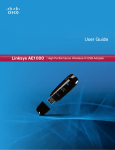
Linksys AE1000
6. A list of available wireless networks appears. Select
your network. Click Next.
Chapter 2: Installation
9. The installation is complete. Click Close.
You are Now Connected to Your Wireless Network
Connect to a Wireless Network
7. If your network does not use wireless security, go to
step 9.
If your network uses wireless security, enter the
wireless password for your type of security:
NOTE: If you have any problems during the
installation process, refer to the Frequently
Asked Questions in the setup software, or use a
computer with an active Internet connection to
visit www.linksys.com/support.
•• Wired Equivalent Privacy (WEP): Enter the WEP key.
•• Wi-Fi Protected Access (WPA/WPA2): Enter the
passphrase (also known as a pre‑shared key).
Click Next. Go to step 9.
Enter the Wireless Password
8. Follow the on-screen prompts to use your Easy Setup
Key. Click Next.
Insert your Easy Setup Key
High Performance Wireless-N USB Adapter
3