1
AWK-1121/1127
Web Console Configuration
Link Fault Pass-Through
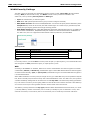
This function means if Ethernet port is link down, wireless connection will be forced to disconnect. Once
Ethernet link is recovered, AWK-1121/1127 will try to connect to AP.
If wireless is disconnected, AWK-1121/1127 restarts auto-negotiation on Ethernet port but always stays in the
link failure state. Once the wireless connection is recovered, AWK-1121/1127 will try to recover the Ethernet
link.
System log will indicate the link fault pass through events in addition to the original link up/down events.
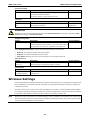
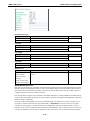
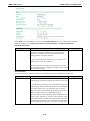
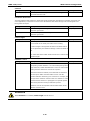
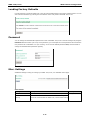
Link Fault Pass-Through
Setting
Description
Factory Default
Enable
Enables Link Fault Pass-Through
Disable
Disable
Disable Link Fault Pass-Through
Serial Port Settings (AWK-1127 Only)
The AWK-1127 not only is capable of bring Ethernet devices onto the WLAN network, it also has a serial port for
additional connectivity for serial devices. The AWK support various useful serial operation modes to make
connecting to your serial devices much simpler.
Operation Modes
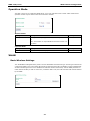
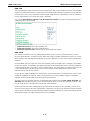
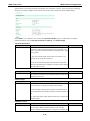
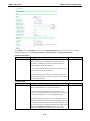
The Operation Modes page for the serial port is where you can configure the serial port operation mode and
related settings.
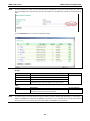
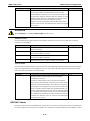
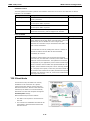
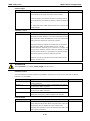
Application
This field specifies what kind application you will be using for this serial port. Depending on the application,
different operation modes and related settings will be displayed.
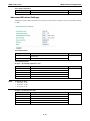
Setting
Description
Factory Default
Disable
This serial port will be disabled.
Disable
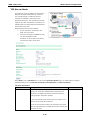
Device Control
This serial port will be used to control a device using legacy
software installed on a Windows, Linux, or UNIX system.
Drivers will need to be installed that will allow your software to
communicate with the device as if it were physically attached to
a local COM or TTY port. You may select between RealCOM and
RFC2217 operation modes.
Socket
This serial port will be used for a TCP or UDP socket-based
application. You may select between TCP Client, TCP Server,
and UDP operation modes.
3-21