1
Table of contents
Before Using the Product
Installing the Wall Mount Kit
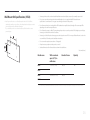
Wall Mount Kit Specifications (VESA)
Copyright5
Safety Precautions
6
Symbols6
Cleaning6
Storage7
Electricity and Safety
7
Installation8
Operation10
Preparations
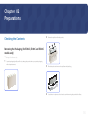
Checking the Contents
13
Removing the Packaging (for ED32C, ED40C and
ED46C models only)
13
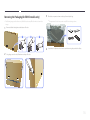
Removing the Packaging
(for ED55C models only)
14
Checking the Components
15
Parts16
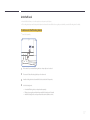
Reverse Side
16
Anti-theft Lock
17
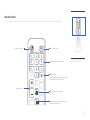
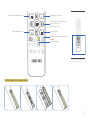
Remote Control
18
Before Installing the Product
(Installation Guide)
21
Tilting Angle and Rotation
21
Ventilation21
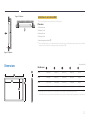
Dimensions22
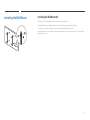
Installing the Wall Mount
23
23
24
Remote Control (RS232C)
25
Cable Connection
25
Connection27
Control Codes
28
Connecting and Using a Source
Device
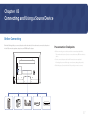
Before Connecting
Pre-connection Checkpoints
37
37
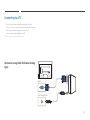
Connecting to a PC
Connection using the D-SUB cable
(Analog type)
Connection Using an HDMI-DVI Cable
Connection Using an HDMI Cable
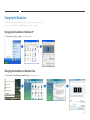
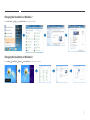
Changing the Resolution
Changing the Resolution on Windows XP
Changing the Resolution on Windows Vista
Changing the Resolution on Windows 7
Changing the Resolution on Windows 8
38
Connecting to a Video Device
Connection Using an HDMI-DVI Cable
Connection Using an HDMI Cable
42
42
43
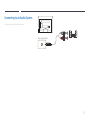
Connecting to an Audio System
44
38
39
39
40
40
40
41
41
Using MDC
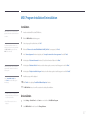
Configuring Settings for Multi Control46
Configuring settings for Multi Control46
MDC Program Installation/Uninstallation 47
Installation47
Uninstallation47
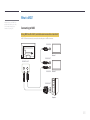
What is MDC?
48
Connecting to MDC
48
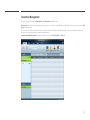
Connection Management
49
User Login50
Auto Set ID51
Cloning52
Command Retry
53
Getting Started with MDC
54
Main Screen Layout
55
Menus55
Screen Adjustment
57
Advanced features
60
Sound Adjustment
62
System Setup
62
Tool Settings
71
Other Functions
74
Group Management
75
Schedule Management
77
Troubleshooting Guide
79
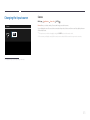
Changing the Input source
45
Source45
2



















































![[ED32D/ED40D/ED46D/ED55D] User Manual](http://vs1.manualzilla.com/store/data/005981977_1-5e9fcb879550bf5117f8a87507455499-150x150.png)