1
3
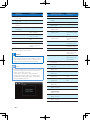
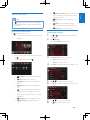
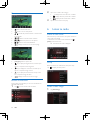
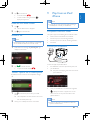
Tap an icon, for example,
, of which you want to
assign the function to a button on the steering wheel.
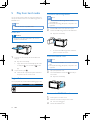
Reset the system
If the system hangs up, reset it.
4
•
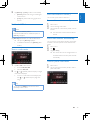
To cancel the assignment, tap [Cancel].
Press and hold the button on the steering wheel for
one second.
1
2
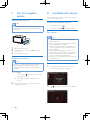
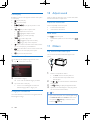
Flip up the protective cover.
Press RESET with the tip of a ball-point pen or
toothpick.
»» The following interface is displayed.
12 Product information
Note
•• Product information is subject to change without prior
5
Repeat steps 3 and 4 to assign more functions to
buttons on the steering wheel.
•
To clear the assignment, tap [Clear all].
Set the rear view camera
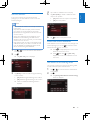
If a rear view camera is connected, you can view on the
screen what the camera takes.
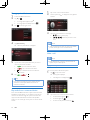
1
2
Tap
>
to access the full menu with all feature
icons displayed.
Tap
(the icon is displayed only when a compatible
camera is correctly connected).
»» Picture from rear camera is displayed.
notice.
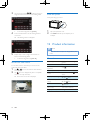
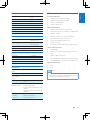
General
Power supply
12 V DC (11 V - 16 V), negative
ground
Fuse
15 A
Suitable speaker
impedance
4-8
Maximum power output
45 W x 4 channels
Continuous power
output
EN
10%
Pre-Amp output voltage
4.0 V (CD play mode; 1 kHz, 0
load)
dB, 10 k
Sub-woofer output
voltage
4.0 V (CD play mode, 61 Hz, 0
load)
dB, 10 k
Aux-in level
20
24 W x 4 channels (4
T.H.D.)
800 mV
Dimensions
(W x H x D)
178 x 101.5 x 160 mm
Weight (main unit)
3.1 kg