1
dLAN network 25
Before the networking procedure, note
the security IDs of all dLAN adapters.
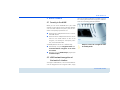
This unique identifier of each dLAN device is located on the label on the
housing. It consists of 4 x 4 letters separated by dashes (e.g. ANJR-KMORKSHT-QRUV). Ensure that all dLAN adapters are connected to the power grid
and computers or other network components as appropriate.
Scan for local adapter
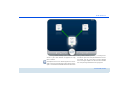
After dLAN Cockpit is started, it searches for the dLAN
adapter connected directly to your computer first.
Adding an adapter
Add all the dLAN devices you want to your dLAN
network by selecting the Add adapter button. You
will need the 16-character security IDs of the adapters
from the label on the housing. Enter it now in the
Security ID field and confirm with OK. If a security ID
is correct and the device can be reached in the dLAN
network, it will be added to your network of configured
adapters and also displayed in the program.
Entering a network password
After you have added all the dLAN devices you want to
your dLAN network, select the Change password
button to assign a shared network password that will
apply for all registered adapters in your personal home
network.
You can choose between your own password, a random password and the default password. To define
your own password with a length of at least eight characters, enter this into the Network password text
field. Alternatively, you can have a randomly selected,
highly secure password assigned using the Generate
secure password button. Use the Factory default
password button to reset the dLAN adapter to the default password. Normally, the display of the password
is hidden for security reasons. If you enable the option
Show characters, the current password is displayed
in legible form in the text field.
The factory default password is
HomePlugAV. Assigning a specific
password to a single adapter will
exclude it from the remaining dLAN
network.
If dLAN Cockpit is called up again later after a successful initial installation, for example to integrate a
new adapter into a network, the application remembers the devices that were entered earlier. Enter the
new device as described in the Adding an adapter
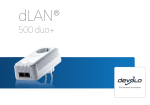
devolo dLAN 500 duo