1
2
Configure your phone
(country dependent)
English
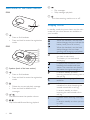
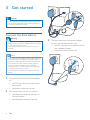
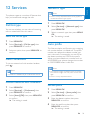
Insert the supplied batteries
1
1
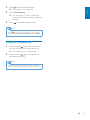
When using your phone for the first time,
you see a welcome message.
2
Press MENU/OK.
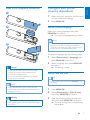
Set the country/language
Select your country/language, then press
MENU/OK to confirm.
»» The country/language setting is saved.
Note
3
•• The country/language setting option is country
dependent. If no welcome message is displayed, it
means the country/language setting is preset for your
country. Then you can set the date and time.
To reset the language, see the following steps.
1
Select [Phone setup] > [Language], then
press MENU/OK to confirm.
2
Select a language, then press MENU/OK
to confirm.
»» The setting is saved.
Caution
•• Risk of explosion! Keep batteries away from heat,
sunshine or fire. Never discard batteries in fire.
•• Use only the supplied batteries.
•• Risk of decreased battery life! Never mix different
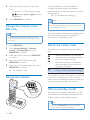
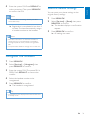
Set the date and time
Tip
brands or types of batteries.
•• To set the date and time later, press REDIAL/C to skip
this setting.
Note
•• Charge the batteries for 8 hours before first use.
•• If the handset becomes warm when the batteries are
charging, it is normal.
Warning
•• Check the battery polarity when inserting in the
battery compartment. Incorrect polarity may damage
the product.
1
2
Press MENU/OK.
3
Press the numeric buttons to enter the
date, then press MENU/OK to confirm.
»» The time setting menu is displayed on
the handset.
Select [Phone setup] > [Date & time],
then press MENU/OK to confirm.
EN
9