1
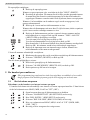
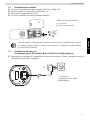
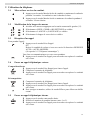
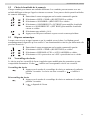
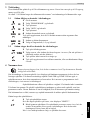
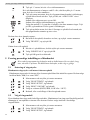
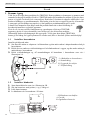
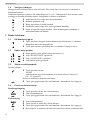
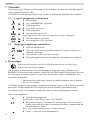
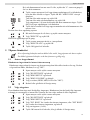
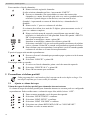
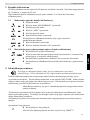
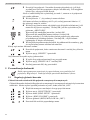
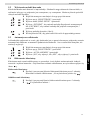
Personalize the handset 3 Press the ‘*’ key to see the telephone number. If the telephone number is longer than 12 digits, press the ‘#’ key again to see # the complete number. 4 Press the left menu key to add this entry to the phonebook if it’s not already stored. Press OK when “ADD TO PB” is shown on the display. Enter or modify the name and press OK. Enter or modify the telephone number and press OK. Select the melody (1-8) which will be heard when this number is calling. Press OK, the entry will be stored in the phonebook. 5 Press the off-hook key to call back a correspondent, when his telephone number or name is displayed. You can delete each entry separately: 1 Scroll to the call you want to delete and press the left menu key. 2 Select “DELETE” and press OK. To delete all entries at ones: 1 When you are in the call list press the left menu key. 2 Select “DELETE ALL” and press OK. 3 Press OK again to confirm. 5 Personalize the handset Every programmation is confirmed at the end by a double or single long beep. A double beep confirms the validation of your choice. 5.1 Adjusting the ring volume Handset ring volume internal/external calls The handset ring volume for internal or external calls cannot be set separately. You can choose from High, mid, low and “OFF”. 1 2 3 4 5 6 5.2 Enter the menu by pressing the left menu key. Select “HS SETTINGS” and confirm. Select “RING SETUP” and confirm. Select “RING VOLUME” and confirm. Select a volume (HIGH, MID, LOW or “OFF”). Confirm or return to the previous menu. Choosing the ring melody Each handset can ring with a different melody. The handsets can ring with a different melody according to whether the call is internal or external. You can choose from 8 different ringer melodies: 1 Enter the menu by pressing the left menu key. 2 Select “HS SETTINGS” and confirm. 3 Select “RING SETUP” and confirm. 4 Select “INT RING” to change the internal melody or “EXT RING” to change the external melody and confirm. 5 Select a melody (1 to 8). 6 Press the OK key to confirm or return to the previous menu. 10