1
SERIAL PORT
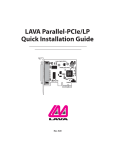
LAVA SP-PCIe
Quick Installation Guide
P.N. MOKO L144.x
LAVA COMPUTERS
SEMICONDUCTOR
MADE
IN
CANADA
MCS9901CV-AA
INSL10200
4E42503 - 06 0743
SP-550 PCIe
Rev. A00
Pb RoHS
1
Windows Hardware and
Driver Installation
1. Before opening the casing of your computer, make sure that all
power is off.
2. Locate an unused PCIe slot and insert the SP-PCIe card into it. Ensure
that the card is well seated.
3. Screw the metal bracket of the SP-PCIe card to your PC’s casing and
replace the machine’s cover.
4. Turn the PC on.
5. When Windows starts, it will find an SP-PCIe Controller and will ask
you for a driver for this device. When prompted, insert the
installation CD into your floppy drive. After copying the necessary
files, Windows may restart your PC in order to complete the
installation of the SP-PCIe card. Any Plug and Play devices attached
to the SP-PCIe will now also be detected and installed. Windows
XP/Vista may display a message to the effect that the drivers are not
digitally signed.This warning can be ignored.
6. To view how Windows has installed the SP-PCIe, open Windows'
Device Manager. Please note that the SP-PCIe will appear in Device
Manager under two separate entries under the Ports tree, once as a
serial port and once as a parallel port. Please use the appropriate
listings if you wish to customize any of the SP-PCIe card’s settings.
2
Changing the Com numbering of the SP-PCIe port
In Windows 2000/XP/Vista, Com port numbering can be changed by
double-clicking the serial port entry displayed in Windows' Device
Manager (as described earlier). Go to Port Settings | Advanced, and
choose Com Port #.
Release Notes:
A. Because the SP-PCIe card uses PCI (not ISA) I/O address ranges, it will
never be seen by your BIOS at boot-up as a standard port even if the
address has been changed in Windows using the above procedure.
This is normal, and does not indicate a fault in your SP-PCIe card.
B. In standard installations of Windows 2000/XP/Vista, the I/O address
cannot be changed to a legacy address.
LAVA
Technical Support
9:00 am to 5:30 pm Monday to Friday (Eastern Time)
Tel: +416 674-5942
Fax: + 416 674-8262
E-mail: [email protected]
Internet: www.lavalink.com
LAVA Computer MFG Inc.
This device complies with part 15 of the FCC Rules. Operation is subject
to the following conditions: (1) This device may not cause harmful interference,
and (2) this device must accept any interference received, including interference
that may cause undesired operation.