1
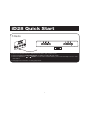
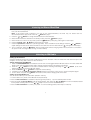
iD28 Quick Start
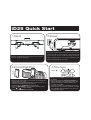
1:Stand
2:Power
RESET
R ESET
TEST
T EST
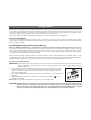
Plug the AC adapter into the adapter jack on the rear of the
unit and the other end into a working outlet. The first time
you connect the unit you should let it charge the internal
battery completely (about 5 hours).The internal battery (and
docked iPhone/iPad/iPod) will charge.
Fold out the stand feet on the bottom of the unit, then
turn unit upright for operation.
3:iPhone/iPad/iPod
4:Time Sync
Press
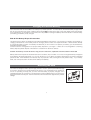
• Press on the iHome logo on front of the unit to release the
dock (press in for travel)
• Gently dock playing iPad/iPhone/iPod. The unit will turn on
and your audio will play through the unit.
• Press the or
Buttons to adjust volume
• Press the EQ Button to cycle to Treble, Bass and SRS,
press
or
to adjust settings.
• Press the
Button to turn unit off.
3
clock sync
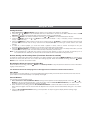
• Make sure unit is OFF and iPhone/iPad/iPhone
is docked
• Press and release the Clock Sync Button on
the top left of the unit. “SYNC” will flash in the
display, followed by 2 beeps indicating time
sync was successful.
• If “FAILED” appears on the display and a long
beep sounds, sync was unsuccessful. Try again
with a different iPhone/iPad/iPod, or set clock
manually (see page 7).