1
P4
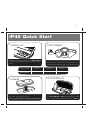
iP48 Quick Start
1:Unzip unit
2:AC adaptor
RESET
R ESET
TEST
T EST
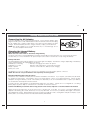
Unzip the iP48 to open the unit. Press the Display Button
to release the pop-up display from travel mode (flat) to upright
position.
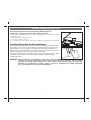
Connect the AC adaptor to the DC jack on the left side of the
iP48 and plug the other end into a working wall socket to
charge and play iPod/iPhone and to charge internal battery.
Use this insert
iPhone 3G
insert 15
iPod touch 2G
insert 16
iPod nano 5G
insert 18
For this
iPhone/iPod
iPhone 3G/3GS
iPod touch 2G
iPod nano 5G
NOTE: If you do not have an insert for your iPod, please visit
www.ihomeaudio.com or call iHome toll free at 800-288-2792 to purchase one
4:iPod/iPhone
3:inserts
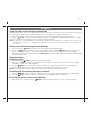
Select the dock insert for your iPod/iPhone model from the
table above and place insert in dock.
Never dock an iPod/iPhone without an insert in place.
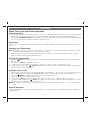
Gently place iPod/iPhone on the connector plug in dock.
Press Power Button to ON. Unit and iPod/iPhone will
turn on. Adjust volume by pressing the + or – Button.
1