1
At Antec, we continually refine and improve our products to ensure the highest
quality. So it’s possible that your new case may differ slightly from the descriptions
in this manual. This isn’t a problem; it’s simply an improvement. As of the date of
publication, all features, descriptions, and illustrations in this manual are correct.
Disclaimer
This manual is intended only as a guide for Antec’s Computer Enclosures.
For more comprehensive instructions on installing the motherboard and peripherals,
please refer to the user’s manuals which come with the components and drives.
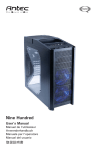
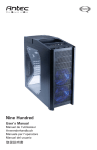
Nine Hundred User’s Manual
The Nine Hundred comes without a power supply. Make sure you choose a power
supply that is compatible with and has long enough power harnesses to reach your
motherboard and peripheral devices. We recommend our TruePower 2.0, Neo HE
or Phantom power supplies for the latest ATX specification compliance, wide compatibility, and power savings capability.
Most ATX power supplies come with an on/off switch. Make sure you turn the
switch to the ON ( I ) position before you boot up your computer for the first time.
Normally, you won’t need to switch to the OFF (O) position, since the power
supply includes a soft on/off feature. This lets you turn your computer on and off
by using the soft switch on your computer case. If your computer crashes and you
can’t shut it down using the soft switch, you can switch the main power to the
OFF (O) position, to clear the fault, then reboot.
Attention:
Nine Hundred comes with a top storage tray. Antec does not recommend that
users put any liquid-containing items (drinks, candles, coffee, perfume, etc.) in this
area. Feel free to put your personal media player, digital camera, keys, coins, etc.
in the top storage tray.
Setting Up
1. Place the case upright on a flat, stable surface so that the rear panel (power
supply and expansion slots) is facing you.
2. Remove the thumbscrews from a side panel and open it by sliding it towards
yourself. Place the thumbscrews carefully aside as they are NOT interchangeable
with the HDD cage thumbscrews. Note: Don’t use your fingernail to pry or lift
the panels.
1