1
Operational guide
Operational guide
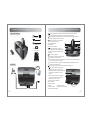
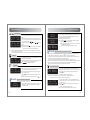
SD / USB input
TRACK 001
00 :28
SD MP3
HELLO
usb
10 :25
00 :28
may-07-2012
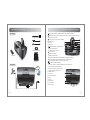
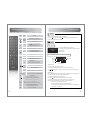
1. Connect SD card/USB flash drive (MP3 or WMA format) to SD/USB connector.
2. Select audio input: press “INPUT” on the top of the speaker or “SD” / “USB” key on the
remote control to select the desired input.
3. Previous / next track: press
Previous / next folder: press
(or press & hold
for 2 seconds)
Play / Pause: press
Note: System will automatically play the first track after 8 seconds on the SD card/ USB flash
drive if no track or folder is being selected.
Tip: a. When using different inputs, the SD/USB input will automatically play the last played track when the SD/USB input is re-selected.
b. When the speaker system is rebooted, the system will revert back to play the first track in the SD card/ USB flash drive.
AUX input
aux
11 :05
iPod
iPhone
input
may-07-2012
iPod input
IPOD
11 :25
input
may-07-2012
Bluetooth
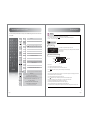
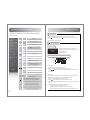
1. Connect iPod /iPhone (MP3 or WMA format audio source) to the dock.
2. Select audio input: press “INPUT” on the top of the speaker or “iPod” key on the remote
control to select the iPod input.
3. Press “MENU” to navigate the iPod/iPhone sub-menus – Playlist; Artist; Songs; Videos
and More.
4. Press
to navigate and scroll up / down the iPod/iPhone menu.
Tip: Press “MUTE” on the top of speaker or “ ” key on remote control to shut speaker output.
General guideline for portable devices
BLUETOOTH
DISCONNECTED
BLUETOOTH
CONNECTED
7
English
1. Connect speaker to the external audio device (PC, MP3/MP4, mobile phone, etc.) with the
3.5mm-RCA audio connecting cable.
2. Audio input selection: press “INPUT” on the top of speaker or “AUX” key on the remote
control to select the AUX input.
Tip:
are not available in AUX mode.
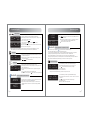
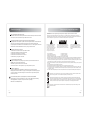
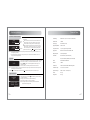
1. Press “INPUT” on the top of the speaker or “ ” key on the remote control to select the
Bluetooth input, the screen displays “Bluetooth Disconnected”.
2. Set your device (mobile phone, tablet device, MP3 player etc.,) to search and select
“EDIFIER Esiena BT”. When the connection is made, the screen will display “Bluetooth
Connected”.
BLUETOOTH
streaming
blue
15 :45
vol35
may-07-2012
Bluetooth
3. Play your audio device
Note:
are available only for the source devices that support AVRCP (Audio / Video
Remote Control Profile).
When connecting to a Bluetooth Source device (e.g. mobile phone), make sure the
source device supports A2DP (Advanced Audio Distribution Profile)
PIN code for connection is “0000” if needed.
General guideline for computer connection
1. Press “INPUT” on the top of the speaker or “ ” key on the remote control to select the Bluetooth input.
2. Turn on your Bluetooth settings on your computer to be discoverable and enabled.
3. If your computer does not have Bluetooth built-in, connect your external Bluetooth adapter and follow the device set up procedures.
4. Within your computer Bluetooth settings, add and search for new devices. The device name is “EDIFIER Esiena BT”.
5. Select the “EDIFIER Esiena BT” device to pair/connect with. Once complete, the screen will display “Bluetooth Connected”.
6. Within your computer sound preferences, select the external speaker device / “EDIFIER Esiena BT” as your sound output / audio source.
For specific details about Bluetooth setup and connectivity, please refer to the user manual for your computer.
Time & Alarm Setting
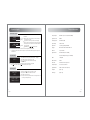
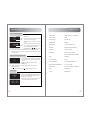
1. Press “ALARM TIME” key or “FUNC” key until “TIME SETTING” is displayed.
2. Press “SELECT” key to switch among ‘hour – minute - month - day – year”.
3. Press
or rotate the touch sensitive volume dial to adjust settings.
4. Press “SELECT” key to exit.
Note: 1. Press & hold “ALARM TIME” key to switch 12-hour / 24-hour time format.
2. The system will revert back to the default display screen if there is no operation for 2 minutes.
time
15 :55
setting
may-07-2012
setting
alarm
alarm-1 on 16 : 06pm
1. Press “ALARM TIME” key or “FUNC” key until “ALARM SETTING” is displayed.
2. Press “SELECT” key to select “alarm number – alarm on/off – alarm time – alarm source –
alarm volume”.
3. Press
or rotate the touch sensitive volume dial to adjust settings.
4. Press “SELECT” key to exit.
Note: There are 5 available alarm settings available.
8
English