1
HL_TT1302 Duo Combi Pack D63.book Page 3 Sunday, June 5, 2011 10:11 PM
1
INTRODUCTION
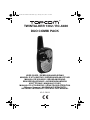
Thank you for purchasing the TOPCOM Twintalker 1302. It’s a short range, low powered radio communication device
that has no running costs other than the minimal cost of re-charging the batteries.
The TwinTalker 1302 operates on Private Mobile Radio frequencies and can be used in any country where the service
is authorised as indicated on the packing box and in this manual.
2
INTENDED PURPOSE:
It can be used for different professional as well as for recreational purposes. For example: to keep in contact during
travelling with 2 or more cars, biking, skiing. It can be used to keep in contact with your children when they are playing
outside, etc...
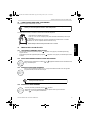
Restriction:
Check the local regulations before using it outside the country where it was
purchased. The standard may be prohibited in this country.
3
CE MARK
This product is in compliance with the essential requirements and other relevant provisions of the R&TTE directive
1999/5/EC. This is confirmed by the CE-mark.
The Declaration of conformity can be found on: http://www.topcom.net/cedeclarations.php
4
SAFETY INSTRUCTIONS
4.1
GENERAL
Please read carefully through the following information concerning safety and proper use. Make yourself familiar with
all functions of the device. Keep this manual on a safe place for future use.
4.2
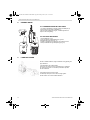
BURNING INJURIES
•
If the cover of the antenna is damaged, do not touch because when an antenna comes in contact with the skin, a
minor burn may result when transmitting.
•
Batteries can cause property damage such as burns if conductive material such as jewellery, keys or beaded
chains touches exposed terminals.The material may complete an electrical circuit (short circuit) and become quite
hot. Exercise care in handling any charged battery, particularly when placing it inside a pocket, purse or other container with metal objects.
4.3
•
PERSONAL SAFETY
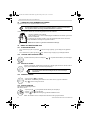
Do not place your device in the area over an air bag or in the air bag deployment area. Air bags inflate with great
force. If a communicator is placed in the bag deployment area and the air bag inflates, the communicator may be
propelled with great force and cause serious injury to the occupants of the vehicle.
•
Keep the radio at least 15 centimetres away from a pacemaker.
•
Turn your radio OFF as soon as interference is taking place with medical equipment.
•
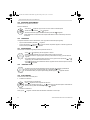
Do not replace batteries in a potentially explosive atmosphere. Contact sparking may occur while installing or
removing batteries and cause an explosion.
•
Turn your communicator off when in any area with a potentially explosive atmosphere. Sparks in such areas could
cause an explosion or fire resulting in bodily injury or even death.
•
Never throw batteries in fire as they may explode.
Areas with potentially explosive atmospheres are often, but not always, clearly
marked. They include fuelling areas such as below deck on boats, fuel or chemical
transfer or storage facilities; areas where the air contains chemicals or particles,
such as grain, dust or metal powders; and any other area where you would
normally be advised to turn off your vehicle engine.
TOPCOM TWINTALKER 1302 DUO COMBI PACK
3
ENGLISH
TOPCOM TWINTALKER 1302 DUO COMBI PACK