1
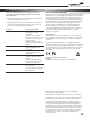
5 Troubleshooting 6 Compliance and regulatory information Before calling service personnel, please check the following chart for a possible cause to the trouble you are experiencing. FCC Compliance Statement: Perform the adjustments according to the instructions on the „Operating the monitor page” If the problem you have experienced isn’t described below or you can’t correct the problem, stop using the monitor and call service personnel or your dealer. Problem Check these things No Display Ensure the power plug is installed correctly at both ends. Check the main power switch is set to “—“ Check that source equipment is operating correctly. Check the input signal is compatible with this display. The image is not centered Check the input signal is compatible with this display. The image is not locked correctly Check the input signal is compatible with this display. The remote control doesn’t work Make sure the batteries are new and installed correctly. Ensure the remote is aimed at the IR sensor on the front of the display The picture color looks poor This equipment has been tested and found to comply with the limits for a Class A digital device, pursuant to part 15 of the FCC Rules. These limits are designed to provide reasonable protection against harmful interference when the equipment is operated in a commercial environment. This equipment generates, uses and can radiate radio frequency energy and, if not installed and used in accordance with the quick setup guide and user manual, may cause harmful interference to radio communications. Operation of this equipment in a residential area is likely to cause harmful interference in which case the user will be required to correct the interference at their own expense. Warning This is a Class A product. In a domestic environment this product may cause radio interference in which case the user may be required to take adequate measures. This device complies with Part 15 of the FCC Rules. Operation is subject to the following two conditions : (1) this device may not cause harmful interference, and (2) this device must accept any interference received, including interference that may cause undesired operation. EN 55022_EN 61000-3-2_EN-61000-3-3 EN 55024 EN 60950-1 [Low-Voltage Directive (73/23/EEC)] Check the picture settings. Reset the display. If you are using YUV terminals, make sure cables are correctly connected. Information in this document is subject to change without notice. 2012 Legamaster International B.V. All rights reserved. Reproduction in any manner whatsoever without the written permission of Legamaster International is strictly forbidden. Trademarks used in this text: Legamaster and the Legamaster logo are trademarks of edding AG; Windows is a registered trademark of Microsoft Corporation, Nextwindow is a registered trademark of Nextwindow. Other trademarks and trade names may be used in this document to refer to either the entities claiming the marks and names or their products. Legamaster International disclaims any proprietary interest in trademarks and trade names other than its own. 7