1
Configuring the Access Point
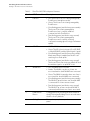
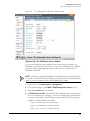
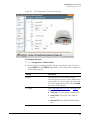
Configuring Ethernet Ports
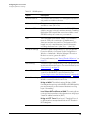
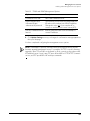
Packet Forwarding
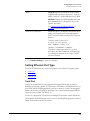
Isolated: Selecting Isolated causes the traffic
from this port to terminate at the Access Point.
Bridge to WAN: The default setting, Bridge to
WAN forwards packets arriving on this port to the
WAN (uplink) port and eventually to their external
destinations using Layer 2 forwarding.
Local Subnet NAT and Route to WAN: This
setting allows routing of packets to their
destinations using Layer 3 network address
translation (NAT).
Bridge to L2TP Tunnel: Uses Layer 2 Tunneling
Protocol to deliver packets encapsulated with an
L2TP header in UDP datagrams.
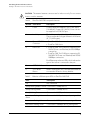
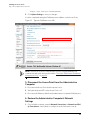
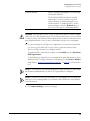
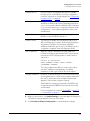
Local Subnet
This option appears if you have selected Local
Subnet and Route to WAN under Packet
Forwarding, and you have selected Access Port as
the port type. This option allows you to select
which subnet this port’s traffic will be part of. You
must have previously configured a subnet from
the Configuration > Local Subnets page before it
becomes available here.
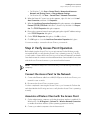
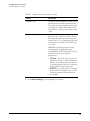
802.1X
Configure the port as an 802.1X authenticator or
supplicant. The following options are available:
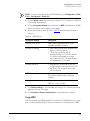
■
Disabled: No 802.1X controls are applied to
this port.
■
■
■
Authenticator (Port-based): Only one of the
attached MAC hosts must be authorized for
all hosts to be granted access to the network.
Authenticator (MAC-based): Each MAC host
is individually authenticated.
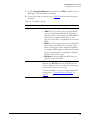
Supplicant: The port acts as a supplicant to
an upstream authenticator. Configure a port
as Supplicant if the port is a Trunk Port used
to connect the AP to a LAN switch.
See “Working with 802.1X on Wired Ethernet
Ports” on page 86 for more information.
84