1
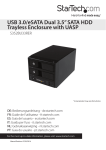
3.5in Trayless Hot Swap SATA Mobile
Rack for Dual 2.5in Hard Drives
HSB225SATBK
*actual product may vary from photos
DE: Bedienungsanleitung - de.startech.com
FR: Guide de l'utilisateur - fr.startech.com
ES: Guía del usuario - es.startech.com
IT: Guida per l'uso - it.startech.com
NL: Gebruiksaanwijzing - nl.startech.com
PT: Guia do usuário - pt.startech.com
For the most up-to-date information, please visit: www.startech.com
Manual Revision: 06/11/2012
FCC Compliance Statement
This equipment has been tested and found to comply with the limits for a Class B digital
device, pursuant to part 15 of the FCC Rules. These limits are designed to provide reasonable
protection against harmful interference in a residential installation. This equipment generates,
uses and can radiate radio frequency energy and, if not installed and used in accordance with
the instructions, may cause harmful interference to radio communications. However, there
is no guarantee that interference will not occur in a particular installation. If this equipment
does cause harmful interference to radio or television reception, which can be determined by
turning the equipment off and on, the user is encouraged to try to correct the interference by
one or more of the following measures:
• Reorient or relocate the receiving antenna.
• Increase the separation between the equipment and receiver.
• Connect the equipment into an outlet on a circuit different from that to which the receiver
is connected.
• Consult the dealer or an experienced radio/TV technician for help.
Use of Trademarks, Registered Trademarks, and other Protected Names and Symbols
This manual may make reference to trademarks, registered trademarks, and other
protected names and/or symbols of third-party companies not related in any way to
StarTech.com. Where they occur these references are for illustrative purposes only and do not
represent an endorsement of a product or service by StarTech.com, or an endorsement of the
product(s) to which this manual applies by the third-party company in question. Regardless
of any direct acknowledgement elsewhere in the body of this document, StarTech.com hereby
acknowledges that all trademarks, registered trademarks, service marks, and other protected
names and/or symbols contained in this manual and related documents are the property of
their respective holders.
Instruction Manual
Table of Contents
Introduction.............................................................................................1
Packaging Contents.................................................................................................................................. 1
System Requirements............................................................................................................................... 1
Front View................................................................................................2
Rear View..................................................................................................2
Installation...............................................................................................3
Driver Installation...................................................................................3
How to Use...............................................................................................4
Specifications...........................................................................................6
Technical Support...................................................................................7
Warranty Information.............................................................................7
Instruction Manual
i
Introduction
The HSB225SATBK 3.5in SATA Mobile Rack lets you install two 2.5in SATA (SATA, SATA II,
SATA III-6Gbps) hard drives (HDD) or solid state drives (SSD) into an available/unused
3.5in floppy drive bay.
The mobile rack delivers quick and easy access to hard drive contents, using a
convenient “no mounting required /easy eject” feature (much like a tape cartridge or
floppy disk) that eliminates the need for the drives to be installed in a tray - a timesaving solution for instant drive removals and insertions as part of a system building
process or integration into rackmount systems or industrial environments.
For added security, the mobile rack is equipped with locking bay doors to prevent
unauthorized removal of the swappable hard drives. Also a perfect addition for
operating system image deployment and any task that requires being able to access
large volumes of data on the fly, the hot swap bay provides everything you need to
expedite important projects while maintaining a reliable storage solution.
Packaging Contents
• 1x Dual 2.5in Mobile Rack
• 2x SATA data cables
• 2x Keys
• 1x Screw Kit
• 1x Instruction Manual
System Requirements
• Available 3.5 inch front bay on computer case
• SATA compatible motherboard or controller with two available ports
• SATA compatible power supply with available SATA power connector
Instruction Manual
1
Front View
Power/Activity
LED
Door Lock
Rear View
15-pin SATA
power
Instruction Manual
7-pin SATA
connector
2
Installation
WARNING! Hard drives and storage enclosures require careful handling, especially
when being transported. If you are not careful with your hard disk, lost data may
result. Always handle your hard drive and storage device with caution. Be sure that
you are properly grounded by wearing an anti-static strap when handling computer
components or discharge yourself of any static electricity build-up by touching a large
grounded metal surface (such as the computer case) for several seconds.
1. Make sure the computer system is powered off and unplugged from the power
source before attempting any hardware installation.
2. Locate an available external 3.5” front drive bay on the computer case and install
the Mobile Rack appropriately. See the documentation for your computer case for
specific installation details. Mounting screws are included, if necessary.
3. Connect two 7-pin SATA cables (included) from the back of the Mobile Rack to the
SATA ports on the computer motherboard or SATA controller card.
4. Connect the 15-pin SATA power cable from the computer power supply to the
Mobile Rack.
5. Pull forward on the metal tabs/hinge on the front of the Mobile Rack to open the
drive bay doors. Insert a 2.5” SATA hard drive into the drive bay (label facing up) and
close the door behind it, making sure it latches properly.
OPTIONAL: Use the included keys to lock the front door to prevent accidental/
unauthorized access to the hard drive(s). Turn the lock counter-clockwise to lock, and
clockwise to unlock.
6. Reconnect the computer to the power source and power up the computer.
The hard drive(s) will be treated as if connected directly to the SATA controller/
motherboard.
Driver Installation
No driver installation is required. The Mobile Rack acts as a pass-through device.
Instruction Manual
3
How to Use
Hot Swap
If the host SATA controller supports Hot-Swapping, then SATA drives can be removed
or installed into the Mobile Rack without having to first shut the computer off. Refer
to the documentation for the SATA controller for specific details on how to safely use
its hot-swapping feature. If not supported, the computer must be shut down first, to
install or remove SATA drives.
Secondary Drive Use (Windows 2000/XP/Vista/7/8)
If you are using a brand new hard drive that does not contain any data, then you will
first need to prepare the hard drive for use. From the main desktop, right-click on
“My Computer” (“Computer” in Vista/7/8), then select Manage. In the new Computer
Management window, select Disk Management from the left window panel.
Instruction Manual
4
Locate the Disk that says it is “Unallocated” (check hard drive capacity to confirm it’s the
correct hard drive) and then right-click in the section that says “Unallocated” and select
“New Partition”.
The New Partition Wizard will appear. Follow the instructions in the wizard to complete
setting up the drive. Once complete, the Disk should show up as “Healthy” with a drive
letter assigned (i.e. E:). This drive letter should now appear within My Computer.
If you are installing a hard drive that already has data on it, then after plugging it in, the
drive should automatically show up with a drive letter assigned within My Computer.
Instruction Manual
5
Specifications
Host Interface
SATA
Number of Drive Bays
2
External Connectors
2x 7-pin SATA Plug
1x 15-pin SATA Power Plug
LEDs
2x Drive Power/Activity
Compatible Hard Drive Type
2.5” SATA hard drives/solid state drives, up
to 9.5mm height
Insertion Rating
15000 cycles
Key Lock
Yes
Enclosure Material
Steel and Plastic
Operating Temperature
5°C ~ 70°C (41°F ~ 158°F)
Storage Temperature
-40°C ~ 80°C (-40°F ~ 176°F)
Humidity
8%~90% RH
Dimensions
154.0mm x 101.0mm x 25.0mm
Weight
224g
Instruction Manual
6
Technical Support
StarTech.com’s lifetime technical support is an integral part of our commitment to
provide industry-leading solutions. If you ever need help with your product, visit
www.startech.com/support and access our comprehensive selection of online tools,
documentation, and downloads.
For the latest drivers/software, please visit www.startech.com/downloads
Warranty Information
This product is backed by a two year warranty.
In addition, StarTech.com warrants its products against defects in materials
and workmanship for the periods noted, following the initial date of purchase.
During this period, the products may be returned for repair, or replacement with
equivalent products at our discretion. The warranty covers parts and labor costs only.
StarTech.com does not warrant its products from defects or damages arising from
misuse, abuse, alteration, or normal wear and tear.
Limitation of Liability
In no event shall the liability of StarTech.com Ltd. and StarTech.com USA LLP (or their
officers, directors, employees or agents) for any damages (whether direct or indirect,
special, punitive, incidental, consequential, or otherwise), loss of profits, loss of business,
or any pecuniary loss, arising out of or related to the use of the product exceed the
actual price paid for the product. Some states do not allow the exclusion or limitation
of incidental or consequential damages. If such laws apply, the limitations or exclusions
contained in this statement may not apply to you.
Instruction Manual
7
Hard-to-find made easy. At StarTech.com, that isn’t a slogan. It’s a promise.
StarTech.com is your one-stop source for every connectivity part you need. From
the latest technology to legacy products — and all the parts that bridge the old and
new — we can help you find the parts that connect your solutions.
We make it easy to locate the parts, and we quickly deliver them wherever they need
to go. Just talk to one of our tech advisors or visit our website. You’ll be connected to
the products you need in no time.
Visit www.startech.com for complete information on all StarTech.com products and
to access exclusive resources and time-saving tools.
StarTech.com is an ISO 9001 Registered manufacturer of connectivity and technology
parts. StarTech.com was founded in 1985 and has operations in the United States,
Canada, the United Kingdom and Taiwan servicing a worldwide market.