1
System Setting
Settings
Adjust the Setup Settings
Initial Setup
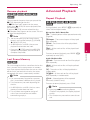
1. Press HOME (n).
21
You can change the settings of the player in the
[Setup] menu.
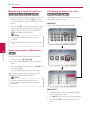
When you turn on the unit for the first time, the
initial setup wizard appears on the screen. Set the
display language on the initial setup wizard.
1.Press 1 (POWER).
The initial setup wizard appears on the screen.
2.Use w/s/a/d to select a display language
and press ENTER (b).
2.Use a/d to select the [Setup] and press ENTER
(b). The [Setup] menu appears.
3
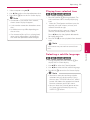
Press ENTER (b) while [Finish] is highlighted
to finish the initial setup settings. If there is any
settings to be changed, use a/d to select
[Previous] and press ENTER (b).
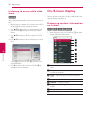
3.Use w/s to select the first setup option, and
press d to move to the second level.
4.Use w/s to select a second setup option, and
press ENTER (b) to move to the third level.
5.Use w/s to select a desired setting, and press
ENTER (b) to confirm your selection.
System Setting
3. Check the setting that you have set in the
previous step.