1
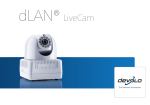
dLAN® LiveCam
The Network Innovation
®
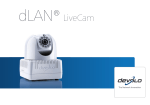
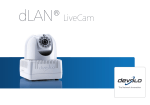
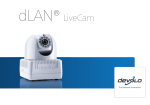
devolo dLAN LiveCam
© 2012 devolo AG Aachen (Germany)
While the information in this manual has been compiled with great care, it may not be deemed an assurance of product characteristics. devolo shall be liable only
to the degree specified in the terms of sale and delivery.
The reproduction and distribution of the documentation and software supplied with this product and the use of its contents is subject to written authorization from
devolo. We reserve the right to make any alterations that arise as the result of technical development.
Trademarks
Android TM is a registered trademark of Open Handset Alliance.
HomePlug® is a registered trademark of HomePlug Powerline Alliance.
Linux® is a registered trademark of Linus Torvalds.
Ubuntu®is a registered trademark of Canonical Ltd.
Mac® and Mac OS X® are registered trademarks of Apple Computer, Inc.
iPhone® and iPad® are registered trademarks of Apple Computer, Inc.
Windows® and Microsoft® are registered trademarks of Microsoft, Corp.
Wi-Fi®, Wi-Fi Protected AccessTM, WPATM, WPA2TM and Wi-Fi Protected SetupTM are registered trademarks of the Wi-Fi Alliance®.
devolo, dLAN®, Vianect® and the devolo logo are registered trademarks of devolo AG.
All other names mentioned may be trademarks or registered trademarks of their respective owners. Subject to change without notice. No liability for technical errors
or omissions.
devolo AG
Charlottenburger Allee 60
52068 Aachen
Germany
www.devolo.com
Aachen, October 2012
Contents
Contents
1 Preface . . . . . . . . . . . . . . . . . . . . . . . . . . . . . . . . . . . . . . . . . . . . . . . . . . . . . . . . . . . . . . . . . . . 5
1.1 Thank you for placing your trust in this devolo product. . . . . . . . . . . . . . . . . . . . . . . . . . . . . 5
1.1.1
About this manual . . . . . . . . . . . . . . . . . . . . . . . . . . . . . . . . . . . . . . . . . . . . . . . . 5
2 Introduction . . . . . . . . . . . . . . . . . . . . . . . . . . . . . . . . . . . . . . . . . . . . . . . . . . . . . . . . . . . . . . . 7
2.1 What exactly is dLAN? . . . . . . . . . . . . . . . . . . . . . . . . . . . . . . . . . . . . . . . . . . . . . . . . . . . . . 7
2.2 dLAN LiveCam . . . . . . . . . . . . . . . . . . . . . . . . . . . . . . . . . . . . . . . . . . . . . . . . . . . . . . . . . . . 7
2.2.1
dLAN Cockpit App . . . . . . . . . . . . . . . . . . . . . . . . . . . . . . . . . . . . . . . . . . . . . . . . 7
2.2.2
Sample applications . . . . . . . . . . . . . . . . . . . . . . . . . . . . . . . . . . . . . . . . . . . . . . . 9
3 Quick start . . . . . . . . . . . . . . . . . . . . . . . . . . . . . . . . . . . . . . . . . . . . . . . . . . . . . . . . . . . . . . . 11
4 Initial use . . . . . . . . . . . . . . . . . . . . . . . . . . . . . . . . . . . . . . . . . . . . . . . . . . . . . . . . . . . . . . . . 13
4.1 Package contents . . . . . . . . . . . . . . . . . . . . . . . . . . . . . . . . . . . . . . . . . . . . . . . . . . . . . . . 14
4.2 System requirements . . . . . . . . . . . . . . . . . . . . . . . . . . . . . . . . . . . . . . . . . . . . . . . . . . . . . 14
4.3 Functions . . . . . . . . . . . . . . . . . . . . . . . . . . . . . . . . . . . . . . . . . . . . . . . . . . . . . . . . . . . . . 15
4.3.1
Camera . . . . . . . . . . . . . . . . . . . . . . . . . . . . . . . . . . . . . . . . . . . . . . . . . . . . . . . 15
4.3.2
Indicator light . . . . . . . . . . . . . . . . . . . . . . . . . . . . . . . . . . . . . . . . . . . . . . . . . . . 16
4.3.3
Encryption button . . . . . . . . . . . . . . . . . . . . . . . . . . . . . . . . . . . . . . . . . . . . . . . . 16
4.3.4
Reset . . . . . . . . . . . . . . . . . . . . . . . . . . . . . . . . . . . . . . . . . . . . . . . . . . . . . . . . . 16
4.3.5
Power supply . . . . . . . . . . . . . . . . . . . . . . . . . . . . . . . . . . . . . . . . . . . . . . . . . . . 16
4.4 Setup instructions . . . . . . . . . . . . . . . . . . . . . . . . . . . . . . . . . . . . . . . . . . . . . . . . . . . . . . . 17
4.5 Connecting the dLAN LiveCam . . . . . . . . . . . . . . . . . . . . . . . . . . . . . . . . . . . . . . . . . . . . . . 17
4.5.1
Installing the software . . . . . . . . . . . . . . . . . . . . . . . . . . . . . . . . . . . . . . . . . . . . 18
5 dLAN network . . . . . . . . . . . . . . . . . . . . . . . . . . . . . . . . . . . . . . . . . . . . . . . . . . . . . . . . . . . . 19
5.1 Security in the dLAN . . . . . . . . . . . . . . . . . . . . . . . . . . . . . . . . . . . . . . . . . . . . . . . . . . . . . 19
5.2 Encryption at the touch of a button . . . . . . . . . . . . . . . . . . . . . . . . . . . . . . . . . . . . . . . . . . 19
5.3 dLAN Cockpit App . . . . . . . . . . . . . . . . . . . . . . . . . . . . . . . . . . . . . . . . . . . . . . . . . . . . . . . 23
5.3.1
Installing dLAN Cockpit and adding dLAN LiveCam . . . . . . . . . . . . . . . . . . . . . . . 23
5.3.2
Overview page . . . . . . . . . . . . . . . . . . . . . . . . . . . . . . . . . . . . . . . . . . . . . . . . . . 24
devolo dLAN LiveCam
Contents
5.4
5.3.3
Settings menu . . . . . . . . . . . . . . . . . . . . . . . . . . . . . . . . . . . . . . . . . . . . . . . . . . . 24
5.3.4
Menu on the bottom edge of the screen . . . . . . . . . . . . . . . . . . . . . . . . . . . . . . . 26
dLAN Cockpit . . . . . . . . . . . . . . . . . . . . . . . . . . . . . . . . . . . . . . . . . . . . . . . . . . . . . . . . . . 26
5.4.1
Encrypting a network with dLAN Cockpit . . . . . . . . . . . . . . . . . . . . . . . . . . . . . . . 29
6 Appendix . . . . . . . . . . . . . . . . . . . . . . . . . . . . . . . . . . . . . . . . . . . . . . . . . . . . . . . . . . . . . . . . 31
6.1 Important safety instructions . . . . . . . . . . . . . . . . . . . . . . . . . . . . . . . . . . . . . . . . . . . . . . . 31
6.2 Disposal of old devices . . . . . . . . . . . . . . . . . . . . . . . . . . . . . . . . . . . . . . . . . . . . . . . . . . . 32
6.3 Warranty conditions . . . . . . . . . . . . . . . . . . . . . . . . . . . . . . . . . . . . . . . . . . . . . . . . . . . . . 32
devolo dLAN LiveCam
Preface 5
1 Preface
1.1 Thank you for placing your
trust in this devolo product.
The dLAN LiveCam from devolo lets you always have
your home in sight – even when you're out and
about. Thanks to the integrated dLAN AV adapter,
with dLAN technology from devolo, only a power cable is required for the connection to integrate the
dLAN LiveCam into your dLAN network flexibly and
quickly via any power outlet in the house. Using the
direct Internet connection and the free devolo dLAN
Cockpit App for smartphones and tablets, individual
monitoring is possible anywhere in the world.
To protect your data, simply and conveniently enable
secure 128-bit "AES (Advanced Encryption Standard)" encryption on the dLAN LiveCam at the push
of a button.
the dLAN LiveCam into operation. While Chapter 5
describes the configuration of the dLAN AV network as
well as everything you need to know about
dLAN Cockpit, in Chapter 6 notes on product safety
and environmental compatibility of the device and our
warranty terms form the end of the manual.
Description of the symbols
Here we briefly describe the meaning of the symbols
used in this manual.
Very important note. Failure to observe this note may result in damage.
Important note that should be observed.
Additional information, background material
and configuration tips for your device.
1.1.1 About this manual
Along with a short introduction to the basics of the
"dLAN" and a presentation of the devolo
dLAN Cockpit App and the dLAN LiveCam in Chapter
2, Chapter 3 describes how to quickly set up the
dLAN LiveCam with default values. In Chapter 4, you
will then learn in detail how you can successfully bring
devolo dLAN LiveCam
6 Preface
If you have any further ideas or suggestions related to
our products, we would be delighted to hear from you
at [email protected]!
devolo on the Internet
For detailed information on our products or "dLAN",
visit www.devolo.com. The Service Centre area contains downloadable product descriptions and documentation, as well as updates to devolo software and
device firmware.
devolo dLAN LiveCam
Introduction 7
2 Introduction
dLAN (direct Local Area Network) uses the household
power grid to transfer data between computers
equipped with suitable adapters and other network
components. As a result, any power outlet can be used
as a network access point. The data is modulated prior
to transfer and sent as a signal via household power
lines. State-of-the-art technology ensures that the
power and data networks do not interfere with one another. Networking via dLAN is fast and secure. The
data is encrypted using a key to prevent easy interception by third parties.
쎲 Secure video transmission via the household
power line
쎲 The live video is accessible over the Internet from
any smartphone or tablet (Apple/Android 2.3 or
later)
쎲 The integrated power supply makes the camera
available 24 hours a day
쎲 Top image quality with transmission of up to 7
frames per second
쎲 Perfect visibility, even in poor lighting conditions
using integrated infrared LEDs
쎲 Six additional dLAN LiveCams can be added easily
When setting up the camera,
make ABSOLUTELY certain that
neighbouring public or private
property or strangers are not being recorded. Only your property
and private space may be monitored with the camera.
2.2 dLAN LiveCam
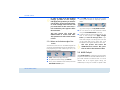
2.2.1 dLAN Cockpit App
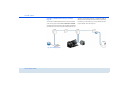
dLAN is an intelligent, secure technology that lets you
set up a home network easily, quickly and economically via your household electrical wiring, without the
need for complex and expensive dedicated cabling.
2.1 What exactly is dLAN?
Greater security in your home!
쎲 Easy to set up and connect throughout the house
쎲 Easy installation: Insert the camera, download
and install dLAN Cockpit App to your smartphone or tablet—finished!
dLAN Cockpit App is devolo's free app for keeping
an eye on your dLAN home network at all times via
smartphone or tablet even when you're away. Smartphones and tablet can connect to the dLAN LiveCam at
home via the mobile phone network (3G/4G) or wireless LAN.
devolo dLAN LiveCam
8 Introduction
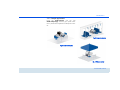
Fig. 1
devolo dLAN LiveCam
Introduction 9
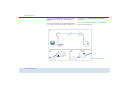
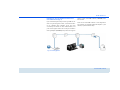
2.2.2 Sample applications
Using the dLAN LiveCam and the free
dLAN Cockpit App, monitoring your private valuables is possible from anywhere via smartphone or tablet.
Fig. 3: From out and about
Fig. 2: From the workplace
Fig. 4: While on holiday
devolo dLAN LiveCam
10 Introduction
devolo dLAN LiveCam
Quick start 11
3 Quick start
Follow the steps listed below to quickly set up the
dLAN LiveCam in the standard environment. The default settings for the dLAN LiveCam are:
쎲
쎲
쎲
쎲
Resolution: 640*480 pixel
View: Interior
Image orientation: Normal
Infrared mode: Automatic
ing recorded. Only your property and private
space may be monitored with the camera.
Connecting the dLAN LiveCam
햲
Connect the dLAN LiveCam to the mains supply
using the included power cable.
햳
In order to set up a dLAN AV network or add
another dLAN AV adapter, proceed as follows:
쑗 Connect the dLAN AV adapter via the
included network cable to a network jack on
your router or to another network component.
쑗 Plug the dLAN AV adapter into an available
electrical outlet.
Setting up/installing the dLAN LiveCam
The dLAN LiveCam can be installed and set up in various ways:
쎲 Wall mounting
쎲 Installation on a camera base
쎲 Setting up the dLAN LiveCam on a level surface
For more information on setup and installation, refer to Chapter 4.4 Setup instructions.
When setting up the camera,
make ABSOLUTELY certain that
neighbouring public or private
property or strangers are not be-
햴
Once you have connected the dLAN LiveCam and
at least one dLAN AV adapter as described above,
your dLAN AV network has been set up. To secure
your dLAN AV network, continue with the configuration of your network. To do so, continue reading in Chapters 4.5.1 Installing the software
and 5 dLAN network.
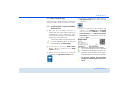
Installing the devolo app and adding the camera
햵
Download dLAN Cockpit to your smartphone or
tablet from the corresponding store.
devolo dLAN LiveCam
12 Quick start
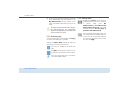
You can find the devolo app quickest by clicking on the magnifying glass in the store and
searching directly for dLAN Cockpit.
햶
On the screen, the app link to dLAN Cockpit
appears. Tapping on it takes you to the dLAN
Cockpit start menu.
햷
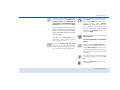
Now, to connect the camera to your smartphone
or tablet, tap the My dLAN LiveCams symbol.
햸
During initial installation of the camera, select the
Add dLAN LiveCam option on the bottom edge
of the screen.
햹
Enter the corresponding string of characters and
numbers in the LiveCAM ID and Password
fields. You can find the CAM-ID and the default
access password for the dLAN LiveCam on the
label on the bottom of the device. Confirm
your entry with Add.
For security reasons, we recommend
setting an individualised access password. To assign an individualised access password, continue reading in
Chapter 5.3.3 Settings menu.
햺
devolo dLAN LiveCam
As soon as your smartphone or tablet is connected
to the dLAN LiveCam, the camera appears in the
My dLAN LiveCams overview. Tapping on the
name or on the preview of the dLAN LiveCam
takes you to the live image.
Tapping the
symbol takes you to the settings
menu of the dLAN LiveCam.
Initial use 13
4 Initial use
In this chapter, you will learn everything useful to know
about initial use of your dLAN LiveCam. It will explain
how to connect the dLAN LiveCam and its functions.
We will also briefly introduce the included devolo
software and then guide you through its installation.
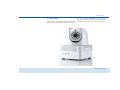
Fig. 5
devolo dLAN LiveCam
14 Initial use
4.1 Package contents
4.2 System requirements
Please ensure that your delivery is not missing anything
before beginning to install your dLAN LiveCam:
쎲 dLAN LiveCam
쑗 Smartphone OS:
iOS 4.x, 5 and 6
Android: version 2.3 or later
쎲 dLAN 200 AVduo or dLAN 200 AVmini (see
Starter kit)
쑗 Operating systems: Windows XP (32-bit),
Windows Vista Home Premium (32-bit/64-bit),
Windows 7 Home Premium (32-bit), Linux
(Ubuntu), Mac (OS X) and all operating systems with network support
쑗 Network connection
Please note that your computer or other device must have a network adapter
with a network port.
쎲 Single kit
쑗 dLAN LiveCam
쑗 Power cable
쑗 Hard copy of installation guide
쑗 CD containing software and online documentation
or
쎲 Starter kit
쑗 dLAN LiveCam
쑗 Power cable
쑗 dLAN 200 AVduo or dLAN 200 AVmini
쑗 Network cable
쑗 Hard copy of installation guide
쑗 CD containing software and online documentation
devolo AG reserves the right to change the package
contents without prior notice.
devolo dLAN LiveCam
To set up a dLAN AV network, you
need two dLAN AV devices (200 Mbps
or 500 Mbps).
Initial use 15
4.3 Functions
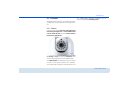
The dLAN LiveCam has a lens, an indicator light (LED),
a power outlet, a reset button and an encryption button.
the dLAN LiveCam. Additional information can be
found in Chapter 5.3.3 Settings menu.
4.3.1 Camera
In order to allow you to align the camera precisely
tailored to your objective, the outer camera head
can be turned by 270° and the internal camera
head can be tilted by 90°.
Fig. 6
By turning the lens, you align the sharpness of the
picture and change the focus of the dLAN LiveCam.
The infrared LEDs arranged around the lens improve
the view in poor lighting conditions (e.g. darkness).
The infrared mode is defined in the settings menu of
devolo dLAN LiveCam
16 Initial use
4.3.2 Indicator light
4.3.3 Encryption button
The indicator light (LED) shows all of the statuses for
the dLAN LiveCam by illuminating and/or flashing in
different ways:
Data encryption at the touch of a button; for a functional description of the encryption button, please continue reading in chapter 5.2 Encryption at the
touch of a button.
쎲 Green flashing and illumination behaviour:
쑗 The LED flashes at regular, quick intervals
(0.5 s) if the dLAN LiveCam is connecting to
the dLAN network (pairing).
쑗 The LED illuminates if the dLAN LiveCam is
accessing the server.
쑗 The LED flashes at irregular, quick intervals (0.1 s/0.2 s) if data is being transferred
and a smartphone or tablet is accessing the
dLAN LiveCam.
쎲 The LED lights up in orange if the
dLAN LiveCam is ready to operate and a dLAN
connection exists.
쎲 The LED flashes red at irregular intervals
(0.5 s/2 s) if there is no dLAN connection.
The light function of the LED can be
switched off in the settings menu of
the dLAN LiveCam for safety reasons
(see 5.3.3 Settings menu).
Fig. 7
4.3.4 Reset
To reset the dLAN LiveCam camera settings to the
factory default, press the Reset button.
Keep in mind that all settings that
have already been made will be lost!
In this case, the dLAN password is reset to the default password.
The reset button can be pressed using the tip
of a ball-point pen.
4.3.5 Power supply
You can connect the dLAN LiveCam to the mains supply here.
devolo dLAN LiveCam
Initial use 17
Make sure that all dLAN AV devices
that are to be connected to your network are also connected to the mains
supply. A dLAN AV device switches
into standby mode after a short time if
no network device (e.g. a computer)
connected to the network interface is
switched on. In Standby mode, the
dLAN AV device cannot be accessed
over the mains supply network. As
soon as the network device (e.g. computer) connected to the network interface is switched on again, your dLAN
AV device can also be accessed via the
electrical wiring.
4.4 Setup instructions
Align the camera according to what you wish to record.
When setting up the camera,
make ABSOLUTELY certain that
neighbouring public or private
property or strangers are not being recorded. Only your property
and private space may be monitored using the camera.
4.5 Connecting the dLAN LiveCam
햲
Connect the dLAN LiveCam to the mains supply
using the included power cable.
햳
In order to set up a dLAN AV network or add
another dLAN AV adapter, proceed as follows:
쑗 Connect the dLAN AV adapter via the
included network cable to a network jack on
your router or to another network component.
쑗 Plug the dLAN AV adapter into an available
electrical outlet.
The dLAN LiveCam can be installed and set up in various ways:
쎲 Wall mounting to the sockets incorporated on the
side and underside of the housing
쎲 Installation on a camera base with the help of the
threaded hole in a common size on the underside
of the housing
쎲 Setting up the dLAN LiveCam on a level surface
햴
Once you have connected the dLAN LiveCam and
at least one dLAN AV adapter as described above,
your dLAN AV network has been set up. To secure
your dLAN AV network, continue with the configuration of your network. To do so, continue readdevolo dLAN LiveCam
18 Initial use
ing in Chapter 4.5.1 Installing the software
and 5 dLAN network.
햵
Finally, download the devolo dLAN Cockpit app
to your smartphone or tablet from the corresponding store. A detailed description for this can be
found in Chapter 5.3 dLAN Cockpit App.
4.5.1 Installing the software
Software for Windows
Using the installation wizard, install the devolo dLAN
Cockpit software for operating the dLAN AV adapter
on the Windows operating system on your computer:
dLAN Cockpit finds all reachable dLAN adapters in
your dLAN AV network, displays information about
these devices and encrypts your dLAN AV network individually.
To install the software, insert the included CD-ROM in
the CD drive of your computer.
If AutoPlay is active on your computer, the installation will start automatically. Otherwise,
open the directory with the Windows Explorer by right-clicking on Start (or the Windows logo) and selecting Explorer from the
context menu. Then start the installation wizard manually.
devolo dLAN LiveCam
During the installation process, you will be given the
choice of installing all software components (Standard installation) or selecting individual ones (Custom installation).
To take full advantage of the functions of
your device, we recommend installing all of
the applications.
You will be asked for permission to transfer anonymous
performance data related to your dLAN adapter to
devolo. The data sent to devolo pertains only to the
performance values of your dLAN devices. The data is
anonymised and will be used exclusively for statistical
purposes. By providing it, you can help us improve our
products. You can find the installed software
applications in the Start All Programs devolo
program group.
Software for Mac (OS X)
The software mac folder contains the dLAN configuration software.
Software for Linux (Ubuntu)
The software linux folder contains the dLAN configuration software.
dLAN network 19
5 dLAN network
5.1 Security in the dLAN
Before you can use the dLAN LiveCam in your dLAN
network, first you have to connect it to other dLAN AV
devices as a home network. Two specific pieces of information are especially important for this:
press the encryption button that is located on the device. Pressing this button will encrypt your dLAN AV
network with a randomly generated password.
Adapters cannot be configured while
in Standby mode.
The following section contains exact instructions on
the basis of possible network scenarios:
쎲 Shared use of a dLAN password results in a delimited dLAN network.
쎲 Shared use of the dLAN password serves as access
control to the dLAN network as well as the
encryption, and thereby the interception protection, of the transmitted data.
Please note the following basic principle when choosing your encryption method:
쎲 The dLAN password can be specified automatically via the encryption button (see
쎲 or manually using the dLAN Cockpit program
(see
5.2 Encryption at the touch of a
button
To encrypt a dLAN AV network, in which all associated
devices are equipped with an encryption button, simply
devolo dLAN LiveCam
20 dLAN network
Encrypting a new dLAN AV network consisting of
a dLAN LiveCam and another dLAN AV adapter
(fig. 8)
Once the dLAN LiveCam and the other dLAN AV adapter have been successfully connected, press each en-
cryption button for 1 second within two minutes of
one another.
That's it! Your dLAN AV network is now protected
against unauthorized access.
Fig. 8 is country-specific
devolo dLAN LiveCam
dLAN network 21
Expanding an existing dLAN AV network with a
new dLAN LiveCam (fig. 9)
button of your new dLAN LiveCam (1 second) within
two minutes.
If you have already secured your existing dLAN AV network using the encryption button, use the same method to integrate other adapters. Once you have
successfully connected the new dLAN LiveCam, first
press the encryption button of one of your network’s
existing adapters (1 second), then press the encryption
That's it! The new dLAN LiveCam is now integrated in
your network. To integrate additional adapters in your
network, repeat the above steps.
Fig. 9 is country-specific
devolo dLAN LiveCam
22 dLAN network
Excluding a dLAN LiveCam from your network
(fig. 10)
To exclude a dLAN LiveCam from an existing network,
press its encryption button for at least ten seconds.
The device will be assigned a new randomly generated
password and will thus no longer be able to access the
Fig. 10 is country-specific
devolo dLAN LiveCam
network. To integrate the device in a different dLAN AV
network, follow the steps described above, depending
on whether you are setting up a new network or adding the adapter to an existing one.
dLAN network 23
5.3 dLAN Cockpit App
햵
During initial installation of the camera, select the
Add dLAN LiveCam option on the bottom edge
of the screen.
햶
Enter the corresponding string of characters and
numbers in the LiveCAM ID and Password
fields. You can find the CAM ID and the default
access password on the label on the bottom
of the device of the dLAN LiveCam. Confirm your
entries with Add.
dLAN Cockpit App is devolo's free app for keeping an
eye on your dLAN LiveCams via smartphone or tablet.
5.3.1 Installing dLAN Cockpit and adding
dLAN LiveCam
햲
After you have successfully connected the
dLAN LiveCam and another dLAN AV adapter and
integrated them into your dLAN network, download the dLAN Cockpit App to your smartphone or
tablet from the corresponding store.
You can find the devolo app quickest by clicking on the magnifying glass in the store and
searching directly for dLAN Cockpit.
햳
햴
On the screen, the app link to dLAN Cockpit
appears. Tapping on it takes you to the dLAN
Cockpit start menu.
Now, to connect the camera to your smartphone
or tablet, tap the My dLAN LiveCams symbol.
Tap on the password line so that a keyboard
is displayed on the smartphone or tablet. You
can ensure upper-case letters remain activated by tapping the arrow key twice (shift lock).
For security reasons, we recommend
setting an individualised access password.
devolo dLAN LiveCam
24 dLAN network
햷
As soon as your smartphone or tablet is connected
to the dLAN LiveCam, the camera appears in the
My dLAN LiveCams overview. Tapping on the
name of the dLAN LiveCam takes you to the live
image.
The screen interface and the camera image in
the dLAN Cockpit App are automatically
adapted to the alignment (horizontal/vertical)
of the smartphone or tablet.
5.3.2 Overview page
You can page through the list of adapters by swiping
across the screen (left/right or up/down).
Tapping the camera image changes the image size
from regular to full-screen and vice versa.
The house icon displays the connection over
LAN.
The globe indicates a public Internet connection between the smartphone and the camera.
Using this symbol takes you to the settings
menu of the dLAN LiveCam.
devolo dLAN LiveCam
5.3.3 Settings menu
By tapping on Camera, you can cause the
camera to take a picture, which is stored as
a
preview
image
under
My
dLAN LiveCams (see 5.3.4 Menu on the
bottom edge of the screen), if you have
activated the option Use the image as
preview of this dLAN LiveCam.
Here, you determine the image quality. You
can choose from three different image resolutions. You can set the image quality of
your recordings from low to high. Confirm
this entry with Apply.
dLAN network 25
Define and change the access password for
the dLAN LiveCam under Password. For
security reasons, we recommend always setting an individualised access
password. Confirm your entries with Add.
Tap on the password line so that a keyboard is displayed on the smartphone or
tablet. You can ensure upper-case letters
remain activated by tapping the arrow key
twice (shift lock).
Furthermore, the status LED can be
switched on or off. In darkness, the LED
lighting can be disruptive.
Tapping the camera with the arrow
stores the picture in the photo gallery so
that you can also easily send it by e-mail
(e. g. via Bluetooth, Skype, Google Mail).
Here, you determine the lighting options.
Select Indoor if the camera is recording indoors, select Outdoor if the camera is recording outdoors. Select Improve
contrast if you would like to record in the
dark or outdoors in poor lighting conditions. The infrared mode can be turned on
or off or set to automatic. Confirm your
entries with Apply.
Here, you reset the camera settings to the
factory defaults.
The dLAN password is not affected
by this.
Tapping this symbol turns the view of the
camera image horizontally or vertically. Enable the Mirror image function for mirroring the image depending on the positioning
of the camera (e.g. camera head pointing
downward).
Here, you can assign an individual name to
your camera. Confirm your entry with Apply.
Tapping the recycle bin deletes the connected camera.
devolo dLAN LiveCam
26 dLAN network
In order to apply all of the modified
settings, you have to save changes
with Apply changes before you leave the
settings menu. If you have made changes in the settings menu but have not
yet saved them via this menu item, a
red exclamation point appears above
the menu item.
This save process also causes the
dLAN LiveCam to restart each time.
This operation can take a short amount
of time.
5.3.4 Menu on the bottom edge of the
screen
The functions of the menu on the bottom edge of the
screen are self-explanatory and can be operated intuitively. Depending on which submenu you are in, the
following functions appear:
쎲 Start: dLAN Cockpit App start menu
쎲 To update the camera image, tap Refresh.
쎲 During initial installation of the camera, select the
Add dLAN LiveCam option.
devolo dLAN LiveCam
쎲 In the Help menu you can found more installations tips and answers to frequently questions
(FAQs).
쎲 All connected cameras are listed with corresponding preview images under My dLAN LiveCams.
쎲 You can switch to the next connected camera
using the Forward/Backward arrow keys.
쎲 In order to apply all of the modified settings, you
have to save changes with Apply changes
before you leave the settings menu. If you
have made changes in the settings menu but have
not yet saved them via this menu item, a red
exclamation point appears above the menu item.
This save process also causes the
dLAN LiveCam to restart. This operation can take a short amount of time.
5.4 dLAN Cockpit
devolo dLAN Cockpit is a monitoring and encryption
program that detects all reachable dLAN AV devices in
your home network and combines them in a secure
network. Due to its logical graphic design, the
dLAN Cockpit is easy and intuitive to operate. After
dLAN network 27
installing the devolo software, it can be found in the
Start Programs devolo program group.
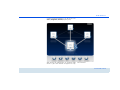
After starting the dLAN Cockpit, all reachable dLAN
devices in your home network will appear. This may
take a moment.
devolo dLAN LiveCam
28 dLAN network
All adapters found in the network appear with as
adapter icon with a corresponding product name. The
adapter in the middle of the dLAN network identified
with the symbol shown here symbolises your locally
connected device. If you have multiple dLAN devices
connected locally, you can jump back and forth
between them. Clicking an adapter icon with the
mouse enables the corresponding dLAN AV device and
highlights it.
The coloured connecting lines of the adapters illustrate
the current transmission quality:
쎲 Green: the network connection is suitable for HD
video streaming.
쎲 Orange: the network connection is suitable for
SD video streaming and online gaming.
쎲 Red: the network connection is suitable for simple
data transfer and Internet access.
If data transmission from one device to another is actually taking place, the data rate is displayed on the respectively highlighted adapter.
Settings and functions
You can configure settings for the respectively highlighted device or for the network
쎲 via the buttons at the bottom edge of the screen
쎲 or via tabs arranged at the side of each adapter.
devolo dLAN LiveCam
You can always use the Refresh button to display the
current status of devices that have been found (if this
hasn't happened automatically).
By means of the Options button or the corresponding
tabs of the respective adapter, you can learn device information such as the firmware version used and the
individual MAC address.
Options are given like assigning an additional name,
resetting the respective device to the factory default
settings or removing a device from the existing
dLAN network.
The above-mentioned setting options
vary depending on the function and
features of your device.
You can also specify whether information on the performance of your dLAN adapters will be transferred to
devolo.
The data sent to devolo pertains only to the
performance values of your dLAN devices.
The data is anonymised and will be used exclusively for statistical purposes. By providing
it, you can help us improve our products.
dLAN network 29
The Troubleshooting Guide includes installation instructions and information about how to connect your
devices optimally with one another.
5.4.1 Encrypting a network with
dLAN Cockpit
If you use dLAN AV devices without an encryption
button, data can be encrypted only via
dLAN Cockpit.
Before the networking procedure, note
the security IDs of all dLAN AV adapters. This unique identifier of each dLAN
device is located on the label on the
housing. It consists of 4 x 4 letters separated by dashes (e.g. ANJR-KMORKSHT-QRUV). Ensure that all dLAN
adapters are connected to the power
grid and computers or other network
components as appropriate.
Scan for local adapter
After dLAN Cockpit is started, it searches for the dLAN
adapter connected directly to your computer first.
Adding an adapter
from the label on the housing. Enter it now in the
Security ID field and confirm with OK. If a security ID
is correct and the device can be reached in the dLAN
network, it will be added to your network of configured
adapters and also displayed in the program.
Entering a network password
After you have added all the dLAN devices you want to
your dLAN network, select the Change password
button to assign a shared network password that will
apply for all registered adapters in your personal home
network.
You can choose between your own password, a random password and the default password. To define
your own password with a length of at least eight characters, enter this into the Network password text
field. Alternatively, you can have a randomly selected,
highly secure password assigned using the Generate
secure password button. Use the Factory default
password button to reset the dLAN adapter to the default password. Normally, the display of the password
is hidden for security reasons. If you enable the option
Show characters, the current password is displayed
in legible form in the text field.
Add all the dLAN devices you want to your dLAN
network by selecting the Add adapter button. You
will need the 16-character security IDs of the adapters
devolo dLAN LiveCam
30 dLAN network
The factory default password is
HomePlugAV. Assigning a specific
password to a single adapter will
exclude it from the remaining dLAN
network.
If dLAN Cockpit is called up again later after a successful initial installation, for example to integrate a
new adapter into a network, the application remembers the devices that were entered earlier. Enter the
new device as described in the Adding an adapter
section. The current network password is assigned
automatically to the newly added device.
devolo dLAN LiveCam
Appendix 31
6 Appendix
6.1 Important safety instructions
All safety and operating instructions should be read
and understood before using the device, and should be
kept for future reference.
쎲 Never open the device. There are no user-serviceable parts inside the device.
Do not try to service this product
yourself! Contact qualified technicians
each and every time your device needs
maintenance. There is a risk of electric
shock!
쎲 Use the device in a dry location only.
쎲 Always use the included network cable to connect
the device.
The outlet must be within reach of the
connected network devices. The adapter and the network devices must be
easily accessible.
쎲 To switch the device off, pull the power plug.
쎲 To disconnect the device from the power supply
grid, pull the power plug.
쎲 Do not insert any objects into the openings of the
device.
쎲 Do not keep the device in direct sunlight.
쎲 Slots and openings on the case serve as ventilation. Never block or cover them.
쎲 Never set up the device near a heater or radiator.
쎲 The device should be located only where sufficient
ventilation can be ensured.
쎲 Disconnect the device from the power supply grid
before cleaning. Use a moist towel to clean the
device. Never use water, paint thinner, benzene,
alcohol or other strong cleaning agents when
cleaning the device, as these could damage the
case.
쎲 Never use the device with a power supply that
does not meet the specifications provided on the
rating plate. If you do not know what type of
power supply you have at home, contact your
dealer or energy supplier.
쎲 In the event of damage, disconnect the device
from the power supply grid and contact customer
service. This applies, for example, if
쑗 the power cable or plug is damaged.
쑗 liquid has been spilled on the device or
objects have fallen into the device.
쑗 the device has been exposed to rain or water.
devolo dLAN LiveCam
32 Appendix
쑗 the device does not work, even though the
operating instructions have been followed
properly.
쑗 the device’s case is damaged.
1
a)
The warranty covers the equipment delivered and all its parts.
Parts will, at devolo's sole discretion, be replaced or repaired
free of charge if, despite proven proper handling and
adherence to the operating instructions, these parts became
defective due to fabrication and/or material defects. Alternatively, devolo reserves the right to replace the defective product with a comparable product with the same specifications
and features. Operating manuals and possibly supplied software are excluded from the warranty.
b)
Material and service charges shall be covered by devolo, but
not shipping and handling costs involved in transport from the
buyer to the service station and/or to devolo.
c)
Replaced parts become property of devolo.
d)
devolo is authorized to carry out technical changes (e.g. firmware updates) beyond repair and replacement of defective
parts in order to bring the equipment up to the current technical state. This does not result in any additional charge for the
customer. A legal claim to this service does not exist.
6.2 Disposal of old devices
To be used in the countries of the European Union and
other European countries with a separate collecting system:
The icon with crossed-out wastebasket on the device
means that this adapter is an electrical or electronic
device that falls within the scope of application of the
German Electrical and Electronic Equipment Act
("Elektrogesetz"). Since 24 March 2006, these types of
devices may no longer be disposed of with household
waste. Rather, in Germany, they can be given to a
municipal collection point free of charge. Contact your
municipal government to find out the address and
hours of the nearest collection point.
6.3 Warranty conditions
The devolo AG warranty is given to purchasers of devolo products in
addition to the warranty conditions provided by law and in accordance with the following conditions:
devolo dLAN LiveCam
Warranty coverage
2
Warranty period
The warranty period for this devolo product is three years. This
period begins at the day of delivery from the devolo dealer. Warranty services carried out by devolo do not result in an extension of
the warranty period nor do they initiate a new warranty period. The
warranty period for installed replacement parts ends with the warranty period of the device as a whole.
Appendix 33
3
Warranty procedure
a)
If defects appear during the warranty period, the warranty
claims must be made immediately, at the latest within a period
of 7 days.
b)
In the case of any externally visible damage arising from transport (e.g. damage to the housing), the person carrying out the
transportation and the sender should be informed immediately. On discovery of damage which is not externally visible,
the transport company and the sender are to be immediately
informed in writing, at the latest within 3 days of delivery.
c)
Transport to and from the location where the warranty claim is
accepted and/or the repaired device is exchanged, is at the
purchaser's own risk and cost.
d)
Warranty claims are only valid if a copy of the original
purchase receipt is returned with the device. devolo reserves
the right to require the submission of the original purchase
receipt.
4
Suspension of the warranty
All warranty claims will be deemed invalid
a)
if the label with the serial number has been removed from the
device,
b)
if the device is damaged or destroyed as a result of acts of
nature or by environmental influences (moisture, electric
shock, dust, etc.),
c)
if the device was stored or operated under conditions not in
compliance with the technical specifications,
d)
if the damage occurred due to incorrect handling, especially to
non-observance of the system description and the operating
instructions,
e)
if the device was opened, repaired or modified by persons not
contracted by devolo,
f)
if the device shows any kind of mechanical damage, or
g)
if the warranty claim has not been reported in accordance with
3a) or 3b).
5
Operating mistakes
If it becomes apparent that the reported malfunction of the device
has been caused by unsuitable hardware, software, installation or
operation, devolo reserves the right to charge the purchaser for the
resulting testing costs.
6
Additional regulations
The above conditions define the complete scope of devolo's legal
liability.
a)
The warranty gives no entitlement to additional claims, such as
any refund in full or in part. Compensation claims, regardless
of the legal basis, are excluded. This does not apply if e.g.
injury to persons or damage to private property are specifically
covered by the product liability law, or in cases of intentional
act or culpable negligence.
b)
Claims for compensation of lost profits, indirect or consequential detriments, are excluded.
c)
devolo is not liable for lost data or retrieval of lost data in
cases of slight and ordinary negligence.
d)
In the case that the intentional or culpable negligence of
devolo employees has caused a loss of data, devolo will be
liable for those costs typical to the recovery of data where periodic security data back-ups have been made.
e)
The warranty is valid only for the first purchaser and is not
transferable.
f)
The court of jurisdiction is located in Aachen, Germany in the
case that the purchaser is a merchant. If the purchaser does
not have a court of jurisdiction in the Federal Republic of Germany or if he moves his domicile out of Germany after conclusion of the contract, devolo's court of jurisdiction applies. This
is also applicable if the purchaser's domicile is not known at
the time of institution of proceedings.
g)
The law of the Federal Republic of Germany is applicable. The
UN commercial law does not apply to dealings between devolo
and the purchaser.
devolo dLAN LiveCam
34 Appendix
devolo dLAN LiveCam
Index
Integrating the new adapter into the network 30
A
Lens 15
Linux 18
Access password 23
AES encryption (128-bit) 5
App 23
C
L
M
Mac (OS X) 18
N
Camera 24
Camera base 17
Network password 29
D
Recycle bin 25
Disposal of old devices 32
dLAN AV network 19
E
Encryption button 16, 19
F
R
S
Security ID 29
Show image 25
System requirements 14
T
Factory default password 29
Factory default settings 16
Turning the view 25
G
Wall mounting 17
Warranty 32
Windows 18
Generate secure password 29
Globe 24
H
W
House icon 24
I
Image quality 24
Image resolution 24
Indicator light (LED) 15
Infrared LEDs 15, 25
devolo dLAN LiveCam
devolo dLAN LiveCam