1
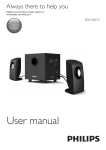
Always there to help you
Register your product and get support at
www.philips.com/welcome
Question?
Contact
Philips
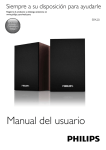
User Manual
SPA20
Contents
1Important
Important safety instructions
3
3
2Notice
4
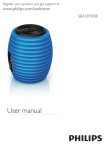
3 Your multimedia speaker
5
4Installation
6
5 Product information
7
6Troubleshooting
8
Specifications
7
EN
2
1Important
Important safety instructions
•
•
•
•
•
Read and follow all these instructions.
The product shall not be exposed to
dripping or splashing and no objects filled
with liquids, such as vases, shall be placed
on the product.
No naked flame sources, such as lighted
candles, shall be placed on the products.
Keep this product away from direct
sunlight, naked flames or other heat
sources.
Only use attachments/accessories specified
by the manufacturer.
Warning
•• Never remove the casing of this product.
•• Never place this product on other electrical equipment.
3
EN
2Notice
Any changes or modifications made to this
device that are not expressly approved by
Philips Consumer Lifestyle may void the user’s
authority to operate the equipment.
packaging materials, exhausted batteries and old
equipment.
Note
•• The type plate is located on the bottom of the product.
This product complies with the radio
interference requirements of the European
Community.
Your product is designed and manufactured
with high quality materials and components,
which can be recycled and reused.
When you see the crossed-out wheel bin
symbol attached to a product, it means the
product is covered by the European Directive
2002/96/EC:
Never dispose of your product with other
household waste. Please inform yourself about
the local rules on the separate collection of
electrical and electronic products. The correct
disposal of your old product helps prevent
potentially negative consequences on the
environment and human health.
Environmental information
All unnecessary packaging has been omitted.
We have tried to make the packaging easy to
separate into three materials: cardboard (box),
polystyrene foam (buffer) and polyethylene
(bags, protective foam sheet.)
Your system consists of materials which can
be recycled and reused if disassembled by
a specialized company. Please observe the
local regulations regarding the disposal of
EN
4
3 Your multimedia
speaker
Congratulations on your purchase and welcome
to Philips!
To fully benefit from the support that Philips
offers, register your product at
www.philips.com/welcome.
If you contact Philips, you will be asked for the
model and serial number of this product. The
model number and serial number are on the
bottom of the product. Write the numbers
here:
Model No. __________________________
Serial No. ___________________________
5
EN
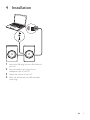
4Installation
1
2
3
4
Insert the USB plug into the USB socket of
your PC.
Insert the audio input plug into the
headphone jack of your PC.
Adjust the volume of your PC.
After use, disconnect the USB and audio
input plugs.
EN
6
5Product
information
Note
•• Product information is subject to change without prior
notice.
Specifications
USB Power Input
Dimensions
- Main Unit (W x H x D)
Weight
- Main Unit
5V
500mA
80 x 122 x 73mm
0.6kg
System Requirements:
PC
Windows® 98SE, Windows® ME,
Windows® 2000, Windows® XP,
or Windows® Vista™, Windows 7
7
EN
Mac
Mac OS9/
OS® X, or
later
6Troubleshooting
To keep the warranty valid, never try to repair
the system yourself.
If you encounter problems when using the
product, check the following points before
requesting service. If the problem remains
unsolved, register your product and get support
at www.philips.com/support.
No sound
•• Make sure that the speaker is correctly
connected.
•• Adjust the volume of your PC.
EN
8
Specifications are subject to change without notice
© 2012 Koninklijke Philips Electronics N.V.
All rights reserved.
SPA20_12_UM_V1.1