1
English
Software Interface Description
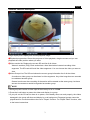
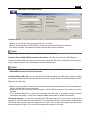
Image display area: Displays the current playback image.
➊Playback progress bar: Shows the progress of video playback, drag the mouse and you can
playback the video position where you want.
➋Video section list: Displays the current SD card list of all videos.
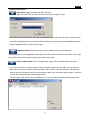
Videos in sections (Clip): Each section has a time listed when it started recording video
segments. The SD card will list all the video segments. You can choose the video you want to
view.
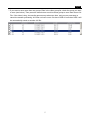
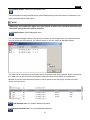
➌Video Groups List: The SD card shows the current group information list of all the videos.
A continuous video group can be shown in video segments. Any video longs than two seconds
is considered another group.
General continuous-time recording of the section will be treated as the same group, but there
are two circumstances would be regarded as another group:
NOTE
1. Each group will consist of video clips till the memory is full to 125MB.
2. Press the Lock button to protect the video and display in a group.
3. If you pull out the CD card or there is no power, or the battery does not work properly, the videos
damaged in the group will show and display in a red background. Damaged groups cannot be
played back for conversion without the use of "Repair "function. For "Repair Video" function, refer
to the button instructions.
3