1
getting started
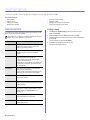
This chapter gives you step-by-step instructions for setting up the machine.
This chapter includes:
•
•
•
Setting up the hardware
System requirements
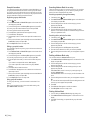
Setting up the network
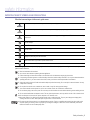
SETTING UP THE HARDWARE
This section shows the steps to set up the hardware which is explained in
the Quick Install Guide. Make sure you read Quick Install Guide and
complete following steps.
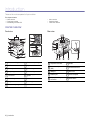
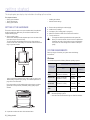
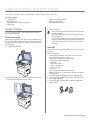
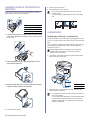
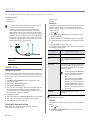
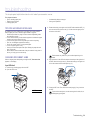
1. Select a stable location.
Select a level, stable place with adequate space for air circulation. Allow
extra space to open covers and trays.
The area should be well-ventilated and away from direct sunlight or
sources of heat, cold, and humidity. Do not set the machine close to the
edge of your desk or table.
•
•
Installing the software
Machine's basic settings
3.
4.
5.
6.
7.
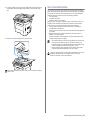
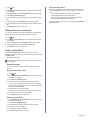
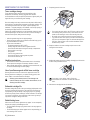
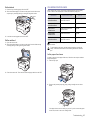
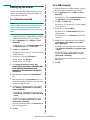
Remove the tape holding the machine tightly.
Install the toner cartridge.
Load paper. (See "Loading paper" on page 32.)
Make sure that all the cables are connected to the machine.
Turn the machine on.
•
•
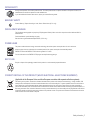
This equipment will be inoperable when mains power fails.
When you move the machine, do not tilt or turn it upside down.
Otherwise, the inside of the machine may be contaminated by
toner, which can cause damage to the machine or bad print
quality.
SYSTEM REQUIREMENTS
Before you begin, ensure that your system meets the following
requirements:
Windows
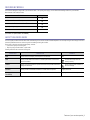
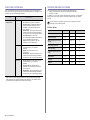
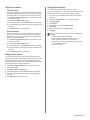
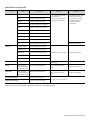
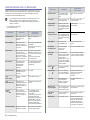
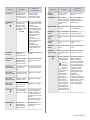
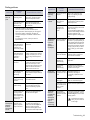
Your machine supports the following Windows operating systems.
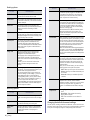
REQUIREMENT (RECOMMENDED)
OPERATING
SYSTEM
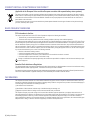
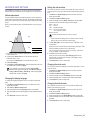
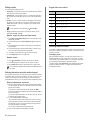
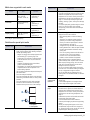
Printing is suitable for altitudes under 1,000 m (3,281 ft). Refer to the
altitude setting to optimize your printing. See "Altitude adjustment" on
page 25 for more information.
Place the machine on a flat, stable surface so that there is no incline
greater than 2 mm (0.08 inch). Otherwise, printing quality may be
affected.
FREE HDD
SPACE
Pentium II 400 MHz
(Pentium III 933 MHz)
64 MB
(128 MB)
600 MB
Windows XP
Pentium III 933 MHz
(Pentium IV 1 GHz)
128 MB
(256 MB)
1.5 GB
Windows
Server 2003
Pentium III 933 MHz
(Pentium IV 1 GHz)
128 MB
(512 MB)
1.25 GB to
2 GB
Windows
Vista
Pentium IV 3 GHz
512 MB
(1024 MB)
15 GB
•
21 _Getting started
RAM
Windows
2000
•
2. Unpack the machine and check all the enclosed items.
CPU
Internet Explorer 5.0 or higher is the minimum requirement for all
Windows operating systems.
Users who have an administrator right can install the software.