1
AXIS M1013 Network Camera
Hardware Overview
Hardware Overview
1
2
3
4
5
6
7
8
9
10
11
12
1
2
3
4
5
6
7
8
9
10
11
12
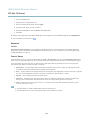
Status LED indicator
Focus ring
Lens
Network connector (RJ-45)
Power connector
Lock ring
Control button
SD card slot (microSDHC)
Power LED indicator
Network LED indicator
LED indicator (not used)
Part number (P/N) & Serial number (S/N)
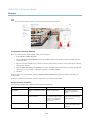
The Axis product is equipped with a lens with manual focus. It is delivered with the lens prefocused and manual focusing is
usually not required.
Note
Only change the focus if required, for example if the image is blurry.
Connectors
For technical specifications, see page 47.
Network connector - RJ-45 Ethernet connector.
NOTICE
Due to local regulations or the environmental and electrical conditions in which the product is to be used, a shielded
network cable (STP) may be appropriate or required. Any network cables that are routed in outdoor environments or similar
shall be shielded (STP) and intended for their specific use. Make sure that the network switch is properly grounded. See
Electromagnetic Compatibility (EMC) for regulatory requirements.
4