1
ENGLISH
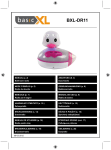
Shower Radio
Control & Compartment:
1.
2.
3.
4.
5.
6.
7.
8.
Volume Control
Tuning Control
Speaker
Band Switch
Hanger
Suction Cups or Nylon Rope
Stand
Battery Cover
Radio Operation:
1.
2.
3.
4.
Turn radio on by rotation Volume Control (1) for ON/OFF Control
Select the required radio band with the Band Switch (4)
Tune in the desired station by turning the Tuning Control (2)
Adjust the Volume Control (1) to the desired sound level
How To Install Radio
1. Use Suction Cups (6) to mount any smooth surface such as the bath tiles. The Suction Cups (6)
may need to be moistened slightly
2. Rod placed for things hang on radio of the Hanger (5)
3. Use Nylon Rope through the Hole (6) can be tied on the shower head or rail
4. Use Stand (7) on the table for support
Battery Power Operation
1. Open Battery Cover (8) of radio by turning to direction as indicated
2. Insert 3pcs “AA” size batteries with correct polarity (batteries not included)
3. Close the Battery Cover (8)
Warning: Never submerge the unit under water. Doing so will result in irreversible damage to
the electronics.
2