1
About Automatic Volume
NOTE: Automatic volume is not available on all
models.
Your device can increase or decrease the
volume automatically based on the level of
background noise.
Enabling Automatic Volume
1 Select Volume > > Automatic Volume.
2 Select Enabled.
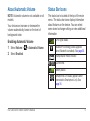
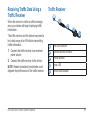
Status Bar Icons
The status bar is located at the top of the main
menu. The status bar icons display information
about features on the device. You can select
some icons to change settings or view additional
information.
GPS signal status.
Bluetooth® technology status (appears
when Bluetooth is enabled). See page 30.
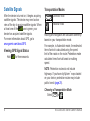
Transportation mode indicator.
Current time.
Battery status.
Smartphone Link status (appears when
connected to Smartphone Link). See
page 35.
nüvi 2405/2505 Series Owner’s Manual
5