1
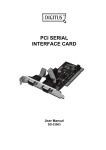
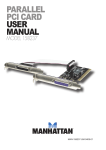
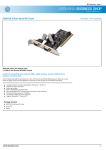
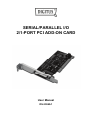
Features and Benefits Compliant with PCI Local Bus Specification, Revision 2.3 Supports 2 x UART serial ports Add one IEEE 1284 Parallel Port on system Easy Plug and Play Automatically selects IRQ & I/O address Built-in 16C450/550 compatible UART On chip 256 byte FIFOs in transmit and receive path of each serial port Serial data transfer rate up to 115200bps Supports Standard Parallel Port (SPP), Enhanced Parallel (EPP) & Enhanced Capability Port (ECP) Parallel data transfer rate up to 1.5Mbytes/sec Bus PCI 32-bit Connectors 2 x DB9 male serial connectors 1 x DB25 female parallel connector System Requirements Windows® 2000, XP / 2003 / Vista / Win 7 Available PCI slot Package Contents 1 x 2S1P PCI Card 1 x Driver CD 1 x User’s Manual Hardware Installation 1. 2. 3. 4. Turn Off the power to your computer. Unplug the power cord and remove your computer’s cover. Remove the slot bracket from an available PCI slot. To install the card, carefully align the card’s bus connector with the selected PCI slot on the motherboard. Push the board down firmly. 5. Replace the slot bracket’s holding screw to secure the card. 6. Replace the computer cover and reconnect the power cord.