1
DMP-BD77EB-VQT3V25.book
22 ページ 2012年1月18日 水曜日 午後4時52分
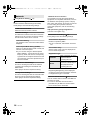
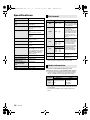
Option menu
Settings
A variety of playback operations and settings can
be performed from this menu.
Available options differ depending on the playing
contents and the condition of the unit.
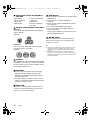
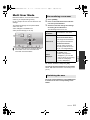
About Multi User Mode
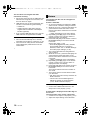
∫ Repeat Play
(Only when the elapsed time is being displayed
on the unit’s display.)
Select the item that you want to repeat.
≥ The items displayed differ depending on the
type of media.
≥ Select “Off” to cancel.
: Settings of the items with this indication are
saved by the respective users registered in the
HOME menu.
Please refer to page 15 for details about user
registration and switching.
∫ Random
Select whether or not to play random.
1
∫ Status
Show the status messages.
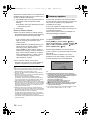
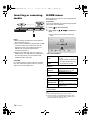
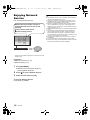
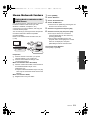
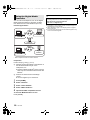
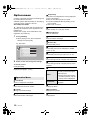
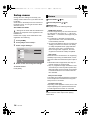
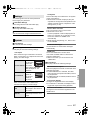
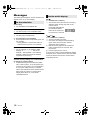
Press [OPTION].
≥ When playing music, select “Playback
Settings” and press [OK].
e.g., BD-Video
Operation Menu
Soundtrack
1 ENG Dolby TrueHD M...
Subtitle
1
Angle
Off
Repeat Play
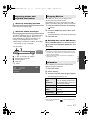
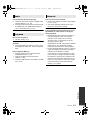
∫ Start Slideshow
Start the slideshow.
∫ Rotate RIGHT
∫ Rotate LEFT
Rotate the still picture.
∫ Wallpaper
Set the still picture to the wallpaper of HOME
menu. (> 14)
Status
Primary Video
MPEG-4 AVC
Secondary Video
Top Menu
Pop-up Menu
∫ Icon Registration
Set the still picture as your user icon. (> 15)
∫ Video
The recording method of original video appears.
2
Select an item and change the settings.
To exit the screen
Press [OPTION].
Regarding Language : (> 33)
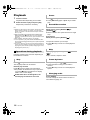
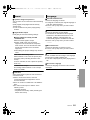
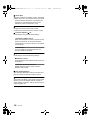
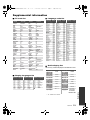
∫ Primary Video
The recording method of original primary video
appears.
∫ Secondary Video
Video
Select on/off of images. The
recording method of original
video appears.
≥ During search/slow-motion
or frame-by-frame, only the
primary video is displayed.
∫ Soundtrack
Show or change the soundtrack.
Soundtrack
Select on/off of audio and the
language.
∫ Audio channel
Select the audio channel number.
∫ Top Menu
Display Top Menu.
∫ Subtitle
Change the subtitle settings.
∫ Pop-up Menu
Display Pop-up Menu.
∫ Angle
Select the number of the angle.
∫ Menu
Display Menu.
Operation Menu
22
VQT3V25