1
DMC-FT20&TS20EB-VQT4A91_mst.book
21 ページ
2011年12月13日 火曜日 午後5時41分
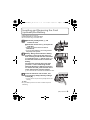
∫ Recording Motion Pictures
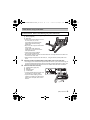
Start recording by pressing the motion picture button.
• Stop the recording by pressing the motion picture button again.
• Maximum time to record motion pictures continuously is 29 minutes 59 seconds.
The maximum available recording time continuously is displayed on the screen.
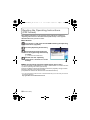
∫ Setting the Menu
Press [MENU/SET] to display the menu screen to change the recording function,
camera settings, and other settings.
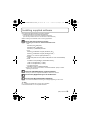
∫ Playing Back Pictures ([Normal Play])
Press [(].
• Press 2 or 1 to select the picture.
∫ Deleting Pictures
Select the picture, and then press [
].
• Confirmation screen is displayed. Picture is deleted by selecting [Yes].
(ENG) VQT4A91
21