1
Troubleshooting >
Networking (LAN/Wireless LAN)
n 147 N
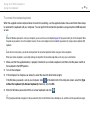
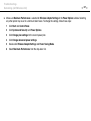
❑ Make sure Maximum Performance is selected for Wireless Adapter Settings in the Power Options window. Selecting
any other option may result in a communication failure. To change the settings, follow these steps:
1
Click Start and Control Panel.
2
Click System and Security and Power Options.
3
Click Change plan settings for the current power plan.
4
Click Change advanced power settings.
5
Double-click Wireless Adapter Settings and Power Saving Mode.
6
Select Maximum Performance from the drop-down list.