1
Multi-Card Reader/Writer • User Manual
English
Thank you for purchasing the MANHATTAN® Multi-Card Reader/Writer,
Model 100653. For specifications, go to www.manhattan-products.com.
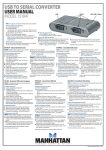
Activity indicators
Power LED
USB cable
Memory card slots
Operation
1. Turn on the computer.
2. Use the attached USB cable to connect the Reader/Writer to a USB port.
Windows will automatically detect the device and install the necessary
driver(s). Confirm that the Power LED lights.
3. Go to My Computer to verify the appearance of the five removable disk
icons (as shown below).
4. Insert a memory card in the corresponding slot on the Reader/Writer.
My Computer
(F:)
2
ENGLISH
(G:)
(H:)
(I:)
(J:)