1
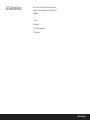
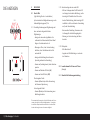
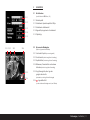
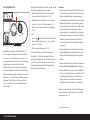
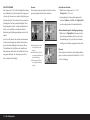
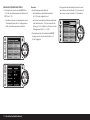
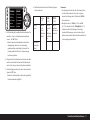
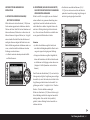
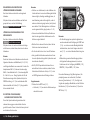
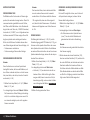
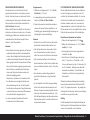
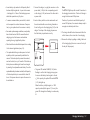
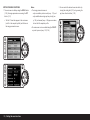
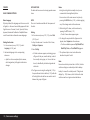
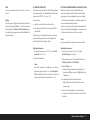
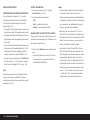
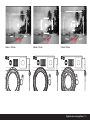
BRACkeTINg Many attractive subjects are very rich in contrast, i.e. they have both very light and very dark areas. The effect can be quite different, depending on which sections you base your exposure on. In such cases, the bracketing function on the Leica M9 – in aperture priority mode – allows you to produce several alter natives with graduated exposure, i.e. using different shutter speeds. You can then select the most appro priate picture for further use, or use image processing software to create a picture with an exceptionally high contrast range (Hdr). The following options are available: – 4 graduations: 0.5 eV, 1 eV, 1,5 eV and 2 eV – 3 numbers of pictures: 3, 5 or 7 – 2 sequences: Correct exposure, over exposure(s), under exposure(s), or under exposure(s), correct exposure, over exposure(s). Notes: • When using the bracketing function, all AUTO ISO settings (see p. 128) are defined: – The sensitivity automatically determined by the camera for the first picture is also used for all other pictures in a series, i.e. this ISo value is not changed during a series. – The settings in the AUTO ISO submenus are inef fective, i.e. the full shutter speed range available on the camera can be used. • Depending on the initial shutter speed, the working range of the bracketing function may be limited. Examples (in each case with defined aperture set ting): – Metered shutter speed 1/1000 s, bracketing series of 5 pictures/2 eV: limited function as the 2 eV picture would require 1/16000 s. – Metered shutter speed 1/125 s, bracketing series of 5 pictures/2eV: unlimited function as the 2 eV picture is possible with 1/2000 s. – Metered shutter speed 1/1000 s, bracketing series of 7 pictures/1eV: limited function as the 3 eV picture would require 1/8000 s. – Metered shutter speed 1/500 s, bracketing series of 7 pictures/1 eV: unlimited function as the 3 eV picture is possible with 1/4000 s. • Regardless of this, the specified number of pictures are always created, which means that several pic tures in a series may have the same exposure. • For series of 7 pictures, only the 0.5 eV and 1 eV graduations are available. • Bracketing is not available in flash mode. If an attached flash unit is switched on, no pictures are taken. • The function remains active until it is switched off in the menu. If it is not switched off, a further bracketing series is produced each time you press the shutter release button. Setting the function 1. In the image parameters menu (see p. 103/119), select Bracketing (4.2.5) and there 2. set whether you want to switch the function on or off. 3. In the main menu (see p. 102/119), now select Bracketing setup (4.1.9), 4. select No. of exposures, Sequence, and/or EV increments in the submenu, and then 5. the desired values and options in the respective submenues. Bracketing / 139