1
Contents
1 Important safety instructions
3
2 Your phone
4
4
5
5
6
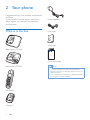
What is in the box
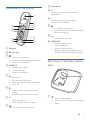
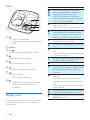
Overview of the phone
Overview of the base station
Display icons
3 Get started
7
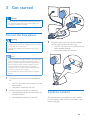
Connect the base station
7
Install the handset
7
Configure your phone (country
dependent)8
Change the remote access PIN code
8
Charge the handset
9
Check the battery level
9
What is standby mode?
9
Check the signal strength
10
Switch the handset on or off
10
4Calls
Make a call
End a call
Answer a call
Mute the microphone
Adjust the earpiece/speaker volume
Make a second call
Answer a second call
Switch between two calls
Make a conference call with the
external callers
11
11
11
11
12
12
12
12
12
12
5 Text and numbers
14
14
6Phonebook
15
15
15
Enter text and numbers
View the phonebook
Search a record
Call from the phonebook
Access the phonebook during a call
Add a record
Edit a record
Delete a record
Delete all records
15
15
15
16
16
16
7 Call log
17
17
17
17
17
17
18
8 Redial list
19
19
19
19
19
19
9 Phone settings
20
20
20
20
20
10Services
22
22
22
22
22
22
23
23
24
11 Telephone answering machine
Turn the answering machine on or off
25
25
EN
1
Call list type
View the call records
Save a call record to the phonebook
Return a call
Delete a call record
Delete all call records
View the redial records
Redial a call
Save a call record to the phonebook
Delete a redial record
Delete all redial records
Sound settings
Name the handset
Set the date and time
Set the display language
Call list type
Auto conference
Network type
Select the recall duration
Dial mode
Register the handsets
Unregister the handsets
Restore default settings