1
AXIS M7014
Accessing the Product
Note
• The default administrator user name root is permanent and cannot be deleted.
• If the password for root is lost, the product must be reset to the factory default settings. See Reset to Factory Default
Settings, on page 39.
The Live View Page
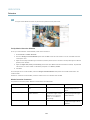
The controls and layout of the Live View page may have been customized to meet specific installation requirements and user
preferences. Consequently, some of the examples and functions featured here may differ from those displayed in your own Live View
page. The following provides an overview of each available control.
Controls on the Live View Page
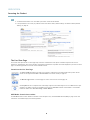
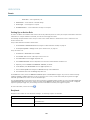
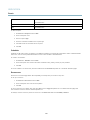
The Stream Profile drop-down list allows you to select a customized or pre-programmed stream profile. Stream
profiles are configured under Video > Stream Profiles. See Stream Profiles, on page 15.
The Manual Trigger button is used to trigger an action rule from the Live View page, see .
Click Snapshot to save a snapshot of the video image. Right-click the video image to save it in JPEG format on your
computer. This button is primarily intended for use when the AXIS Media Control viewer toolbar is not available.
Enable this button from Live View Config > Action Buttons.
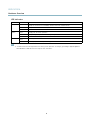
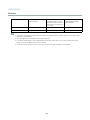
AXIS Media Control viewer toolbar
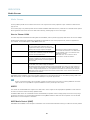
The AXIS Media Control viewer toolbar is available in Internet Explorer only. See AXIS Media Control (AMC), on page 10 for more
information. The toolbar displays the following buttons:
8