1
2
Get started
Configure your phone
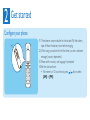
1 The batteries are pre-installed in the handset. Pull the battery
tape off from the battery door before charging.
2 When using your phone for the first time, you see a welcome
message (country dependent).
3 Please set the country and language if prompted.
4 Set the date and time.
• If the time is in 12-hour format, press / key to select
[AM] or [PM].