1
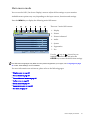
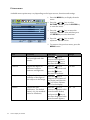
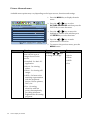
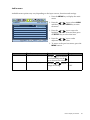
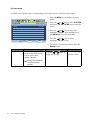
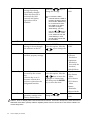
H. Position
V. Position
Pixel Clock
Phase
Adjusts the horizontal
position of the screen
image.
Adjusts the vertical
position of the screen
image.
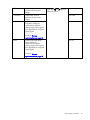
Adjusts the pixel clock
frequency timing to
synchronize with the
analog input video signal.
Not applicable to a digital
input signal.
See also: Picture
optimization on page 18.
Adjusts the pixel clock
phase timing to
synchronize with the
analog input video signal.
Not applicable to a digital
input signal.
Press the
or
adjust the value.
keys to
0 to 100
0 to 100
0 to 100
0 to 63
See also: Picture
optimization on page 18.
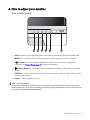
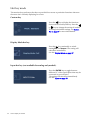
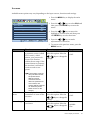
How to adjust your monitor
23