1
Troubleshooting
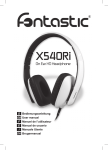
If you cannot connect the headphones to your Bluetooth audio
device or mobile phone, do as follows:
• Ensure that the headphones are charged, switched on, paired
with, and connected to your Bluetooth device.
• Ensure that the Bluetooth feature is activated on your device.
• Check that the headphones are within 10 meters / 33 feet of
your device and that there are no obstructions between the
headphones and the device, such as walls or other electronic
devices.
• To reset the headphones if it stops functioning (although it is
charged), supply the headphones with USB power, then
simultaneously press and hold both the Volume Up “+” and
Multifunction buttons for more than 6 seconds (Note
however, this reset does not clear your paired device
settings).