1
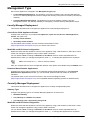
Using the First Time Configuration Wizard Management Type Set how the appliance is managed in the Management Type page. Locally Managed Deployment: The appliance is a Security Gateway and a Security Management server. The Security Management server manages the Security Policy that is enforced by the Security Gateway. Centrally Managed Deployment: The appliance is a Security Gateway, without a Security Management server. The Security Gateway is managed by a remote Security Management server. Locally Managed Deployment This section describes how to configure the appliance for locally managed deployment. Check Point 12000 Appliances Cluster Configure the cluster type. If you select This appliance is part of a Check Point 12000 Appliances Cluster, the options are: Primary cluster member Secondary cluster member For information about clusters, see the ClusterXL Administration Guide (http://supportcenter.checkpoint.com) for your Check Point version. Web/SSH and GUI Clients Configuration Define the clients that are allowed to connect to the appliance using a web browser or SSH client. These clients can manage the appliance using a web or SSH connection. You can define a Host according to Hostname or IP address. Enter a comma-separated list of IP addresses from which you manage the appliance. Enter Any to manage the appliance from anywhere. Note - Do not use the Any value for security reasons. After you complete the First Time Configuration Wizard, more options are available using the WebUI menu. Download SmartConsole Applications Configuring a security policy requires you to install the SmartConsole applications. In the Download SmartConsole Applications window, you can download SmartConsole and install it on Windows machines. The release notes of your Check Point version in the Check Point Support Center (http://supportcenter.checkpoint.com), lists compatible Windows operating systems for SmartConsole. Centrally Managed Deployment This section describes how to configure the appliance for centrally managed deployment. Gateway Type Configure the gateway type for a Centrally Managed appliance. Choose one of: Standard Gateway This Gateway is a member of a cluster This Gateway uses a dynamically assigned IP Web/SSH and GUI Clients Configuration Define the clients that are allowed to connect to the appliance using a web browser or SSH client. These clients can manage the appliance using a web or SSH connection. You can define a Host according to Hostname or IP address. Enter a comma-separated list of IP addresses from which you manage the appliance. Enter Any to manage the appliance from anywhere. Configuring Check Point 12000 Appliances Page 21