1
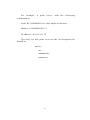
mkdir /var/spool/lpd/pserverd
chown daemon /var/spool/lpd/pserverd
chgrp daemon /var/spool/lpd/pserverd
chmod 775 /var/spool/lpd/pserverd
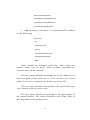
3. Add an entry to the host’s /etc/printcap file, similar
to the following:
printer-name:\
:lp=:\
:rm=203.66.191.186:\
:rp=lpt1:\
:lf=/var/spool/lpd/pserverd.log:\
:sd=/var/spool/lpd/pserverd:\
:mx#0:
Lines should be indented with tabs. More than one
printer name can be used, with variants separated by
vertical bars (name1|name2).
The rm= entry should correspond to the IP address you
have assigned to the print server. You can also use a host
name if you have assigned one in the /etc/hosts file.
The sd= entry should correspond to the spool directory
you created in the previous step.
The rp= entry should correspond to the port name of
the remote printer. The values should be one of lpt1, lpt2 or
lpt3 depends on the printer port.
61