1
CD/MP3 Operation
English
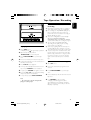
➜ The current track number and elapsed
playing time of the track are displayed during
disc playback.
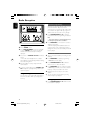
To select a different track
● Press TUNING 4 ¢ (on the remote
control 4 ¢) once or repeatedly until the
desired track number appears in the display.
DISPLAY/BAND
To find a passage within a track
1
IMPORTANT:
The lens of the CD player should never be
touched.
2
X
Press and hold down on TUNING 4 ¢
(on the remote control 4 ¢).
➜ The disc is played at high speed and low
volume.
When you recognise the passage you want,
release TUNING 4 ¢ (on the remote
control 4 ¢).
➜ Normal playback continues.
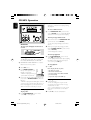
To interrupt playback
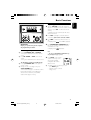
Loading a disc
This CD player plays Audio Discs including CDRecordables, CD-Rewritables and MP3 CD.
● CD-ROM, CD-I, CDV, VCD, DVD or computer
CDs, however, are not possible.
1
2
3
Select CD source.
● Press PLAY/PAUSE 2; (on the remote
control 2;) during playback.
➜ The display freezes and the elapsed playing
time flashes when playback is interrupted.
➜ To resume, press 2; again.
To stop playback
● Press 9.
Notes: CD play will also stop when;
– the CD door is opened.
– the disc has reached the end.
– you select another source:TAPE or TUNER.
– you select standby.
– you press the tape deck PLAY 2 key.
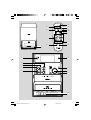
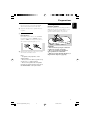
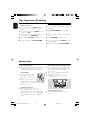
Press OPEN•CLOSE3 on
the top of the system to open
the CD compartment.
➜ OPEN is displayed when you
open the CD compartment.
Insert a disc with the printed side facing up and
press down on OPEN•CLOSE3 to close the
CD door.
➜ READ is displayed as the CD player scans the
contents of a disc, and then the total number of
tracks and playing time (or the total number of
albums and tracks for MP3 disc) are shown.
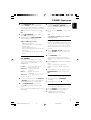
Playing an MP3 disc
1
Basic playback controls
2
To play a disc
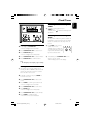
Load an MP3 disc.
➜ The disc reading time may exceed 10
seconds due to the large number of songs
compiled into one disc.
➜ "XXX YY" is displayed. XXX is the current
track number and YY is the current album
number.
Press 4 3 to select a desired album.
● Press PLAY/PAUSE 2; (on the remote
control 2;) to start playback.
12
PG 001-019_MCM190_22-Eng
12
2/19/05, 15:22