1
8
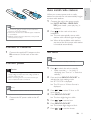
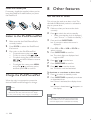
Press PROG/CLOCK SET
%=
4 Play
Turn on
Play disc
1
1
2
Press CD to select the disc source.
3
Insert a disc with the printed side facing
outward, and then press to close the disc
compartment.
4
If the disc doesn’t play, press
To stop play, press .
Press .
» The unit switches to the last selected
source.
Switch to standby
1
When the unit is turned on, press to
switch the unit to standby.
In standby, press and hold to switch
between normal standby and Eco
power standby.
» In normal standby, the clock (if set)
appears on the display panel.
Press on the unit to open the disc
compartment.
.
Play from USB
» In Eco power standby, the backlight on
the display panel turns off.
Note
Make sure that the USB storage device contains
playable audio content.
1
Connect a USB storage device into the
connector on the back panel of this
unit.
2
Press USB to select the USB source.
» Play starts automatically.
To select a folder, press
.
"
#
*
To start play, press
.
To stop play, press .
/
Pause/resume play
1
During play, press
play.
to pause/resume
Skip to a track
For CD:
1
12
EN
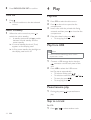
Press
/
to select another track.
.