1
LOGITECH HARMONY 700 USER MANUAL
Contents
Introduction..........................................................................................................................1
Getting to know your Harmony 700.................................................................................1
How your Harmony 700 works......................................................................................1
Devices, inputs, and Activities.......................................................................................1
The buttons on your Harmony 700...............................................................................2
What’s on the Harmony 700’s screen...........................................................................3
Navigating screen options.............................................................................................3
Using your Harmony 700....................................................................................................4
Selecting an Activity.......................................................................................................4
Using the Remote Assistant...........................................................................................4
Controlling your devices individually............................................................................4
Using your favorite channels.........................................................................................5
Turning off your devices.................................................................................................5
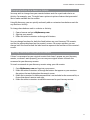
Recharging your remote................................................................................................5
Using the Help button....................................................................................................6
Setting up your Harmony 700 for the first time.............................................................7
Overview.........................................................................................................................7
Creating your user account...........................................................................................8
Connecting your Harmony 700 to your computer......................................................8
Setting up the devices you want to control.................................................................8
Setting up Activities........................................................................................................9
Updating the remote.....................................................................................................9
Determining your inputs..............................................................................................10
Device worksheet.........................................................................................................11
Testing your remote.....................................................................................................12
Changing your setup.........................................................................................................13
Adding and changing Activities...................................................................................13
Adding and changing devices......................................................................................13
Adding a passthrough device to an Activity...............................................................14
Changing buttons for a device or Activity..................................................................15
III