1
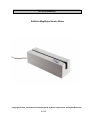
ID TECH EzWriter
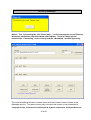
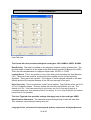
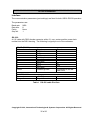
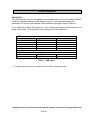
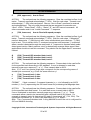
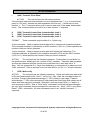
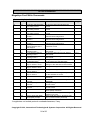
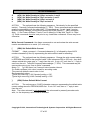
The IDT internal engineering program MSRW-7-O.exe program can be used to perform
the settings.
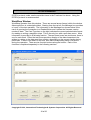
1. Launch MSRW-7-O.exe program
2. Click “Port” and select proper port to open
3. Select “Keyboard” on the upper-writer corner from the program window.
4. Type in each command followed by “Enter” key.
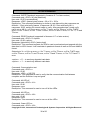
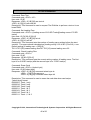
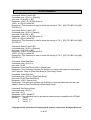
Enter setting mode
Command: \09\09\09
Reader Response: ^^!
Set to “Don’t Send ‘+’ ”
// Note: A1D00 will send ‘+’
Command: A1D5A
Reader Response: ^^^
Set to “Single Byte Write Error Report”
// Note: A1E00 will send multiple error
report when
// multiple tracks failed
Command: A1E5A
Reader Response: ^^^
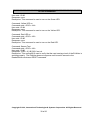
Save setting
Command: @
Reader Response: ^:
Reasons for using these settings:
1. The AMC Reader/Writer has a “conditional bug” – Sometimes it does not response to
read command “Q”, “R”, “S”. According to specification, the R/W should always have a
response, either normal data or ‘*’ for error data and ‘+’ for no data. Some programs
function only with no response when there is no data in the track. A normal no data
response ‘+’ from EzWriter will cause the program to fail and require the PC to be
rebooted to recover.
2. The some programs do not handle multiple track writing error situations according to
specification and send commands before the R/W is finish sending the writing error
responses ‘1’, ‘2’ and ‘3’. It then works “properly’ with messed up responses from AMC
R/W. Program parameters: Com1wr xx 16 1 1 1001, where xx corresponds to one data
file.
3. The EzWriter will not write a “No Data” track. The definition of a “No Data” track is an
attempt to write a start sentinel character, and end sentinel character, the LRC, and there
are no data characters. There must be at least one data character; otherwise, the
EzWriter leaves the track “empty” (no writing at all).
Copyright © 2010, International Technologies & Systems Corporation. All Rights Reserved
62 of 66