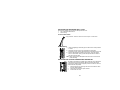
1
3.
4.
5.
6.
7.
8.
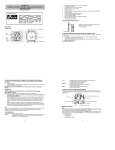
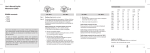
Once the batteries are in place, all segments of the LCD will light up briefly and “03” will
appear on LCD 1. Then the indoor and outdoor temperature - -.-°C, the time as -:--, the
date as 1/1, and weekday will be displayed.
Do not press any buttons for 10 minutes
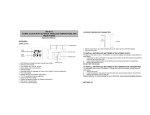
The Moonphase wall clock will start receiving data from the transmitter. The remote
temperature will then be displayed on the Moonphase wall clock. If the outdoor
temperature is not displayed 90 seconds after inserting the batteries into the receiver, all
batteries are needed to be removed and wait for at least 1 minute for reset from step 1.
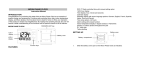
The DCF time code reception will automatically start. This takes typically between 3 - 5
minutes in good conditions. This time period is an excellent opportunity to locate the
transmitter in suitable location outdoors. In order to ensure sufficient 433MHz transmission
however, this should under good conditions be no more than 100 meters from where the
Moonphase wall clock will be finally positioned (see notes on “Positioning” and “433MHz
Reception”).
If after 10 minutes the DCF time has not been received, use the SET key to manually enter
the set mode and change either the time or date in order to activate the DCF reception.
The clock will then automatically attempt to receive the DCF time every full hour each day.
When this is successful, the received time will override the manually set time. The date is
also updated with the received time (Please refers to notes on “DCF Radio controlled
time” and “Manual time setting”).
The indoor temperature will be measured after the DCF reception.
Note:
In the event of changing batteries of the unit ensure that the batteries do not spring free from the
contacts. Always wait at least 1 minute after removing the batteries before reinserting, otherwise
start up and transmission problems may occur.
FUNCTION KEYS
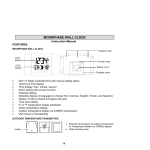
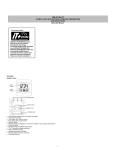
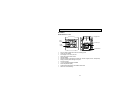
The Moonphase wall clock has four easy to use keys:
SET key
: To enter into the set mode for the following functions: time zone, language,
hour, minute, year, month, day, weekday, 12/24 hour, ºC or ºF temperature
display
+ key
: To toggle between the second, indoor/outdoor temperature or weekday display
To change the values in manual set mode
ALM key
: To enter into the alarm set mode
To set the alarm ON/OFF
SNZ key
: To activate the snooze function during alarm
16