1
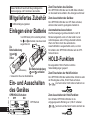
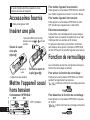
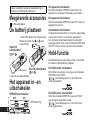
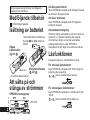
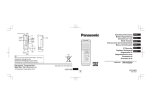
Inserting a battery
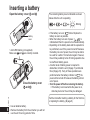
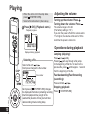
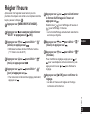
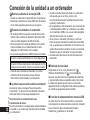
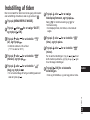
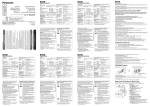
Open the battery cover ( 1 and 2 )
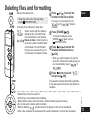
The remaining battery level is indicated as shown
below while the unit is operating.
Blinking
Battery
cover
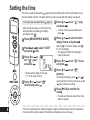
1 AAA LR03 battery (not supplied)
and
are correctly oriented.
Make sure
VQT3T18
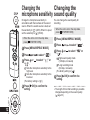
Close the battery cover
( 4 and 5 )
6
6
● If the battery runs out, “
” blinks. Replace the
battery as soon as possible.
” is
● When the battery runs out of power, “
indicated and then the power turns off automatically.
● Depending on the battery state and the operation to
be performed, even if the power turned off because
the battery ran out of power, the unit may be able to
be used for a while if it is turned on again. However,
the unit may suddenly turns off during operation due
to insufficient battery power.
● A certain level of battery power is required to
delete files, format the unit (➜ page 11) and divide
files (➜ page 16). If any of these operations are
”, the
performed when the battery indicator is “
power will be turned off because the battery will run
out of power.
● Turn the power off before removing the battery.
• If the battery is removed while the power is on,
data may be lost or the unit may be damaged.
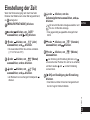
Set the clock after inserting a battery for the first time
or replacing the battery. (➜ page 8)
● Use an alkaline battery.
● Remove the battery from the unit when you will not
use the unit for a long period of time.