1
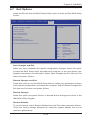
X9SCV-Q User's Manual Save As User Defaults To set this feature, select Save as User Defaults from the Exit menu and press <Enter>. This enables the user to save any changes to the BIOS setup for future use Restore User Defaults To set this feature, select Restore User Defaults from the Exit menu and press <Enter>. Use this feature to retrieve user-defined settings that were saved previously. Boot Override Set this feature to override a previously defined boot device. The available devices will be listed below. Launch EFI Shell from filesystem device This feature when initiated, will attempt to launch an EFI shell application (shellx64. efi) from one of the available file system devices. Press <Enter> to activate. Set ME to Disable Mode Select this feature and choose Enabled to run Management Engine (ME) recovery mode on reboot. The options are Disabled and Enabled. 4-20