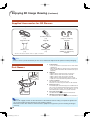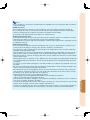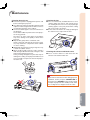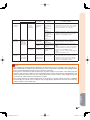
1
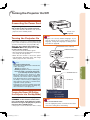
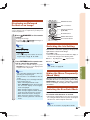
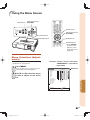
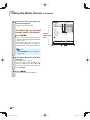
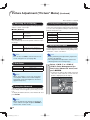
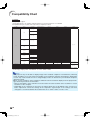
3D Settings (“3D MENU”)
The illustration shown here is for explanation and may
be different from the actual on-screen display.
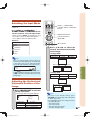
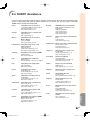
3D MENU
3D
3D Format
3D Depth Adjust
IR Emitter Level
3D Auto Change
Viewing Time Info
Invert
On
Auto
0
Normal
Yes
Yes
Note
• Use this function to get more comfortable 3D
images.
• When you use this function, the 3D image will
look different from its original 3D appearance.
Keep this in mind while using this function.
• The use of this function for commercial purposes/public displays in a café, hotel, etc.,
may be an infringement of copyright protected
by law for copyright holders. Please use caution.
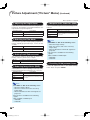
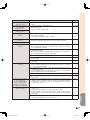
IR Emitter Level
You can change the infrared emitter level.
3D
You can switch between 2D and 3D mode.
Selectable items
On
Off
Selectable items
Normal
High
Description
Projects 3D images.
Projects 2D images instead of 3D
images.
Note
Note
• When “3D Auto Change” is set to “Yes” and a
3D signal is detected, “3D” switches to “On”.
• When a 3D identification signal is not detected:
- If you selected “On”, select the format with
“3D Format”.
- If you select “Off”, the video source will be
displayed with no conversion.
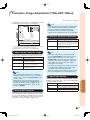
You can set the 3D format manually for when a 3D signal
that cannot be detected automatically is received.
3D Auto Change
Description
When a 3D identification signal is
detected, the format is selected
automatically.
Select the same format type of the
received 3D signal.
Selectable items
Yes
No
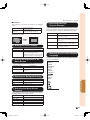
Viewing Time Info
This displays the elapsed time of 3D image viewing.
Selectable items
Yes
Note
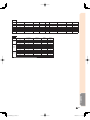
• Refer to “Setting the 3D Format Menu” on
page 56 for supported signals and 3D formats.
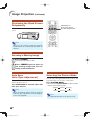
3D Depth Adjust
You can adjust the stereoscopic effect of 3D image.
\ button
Selectable items
Description
For less stereoscopic effect.
| button
For greater stereoscopic effect.
XV-Z17000_E_US.indb 55
Description
When a 3D signal is detected, 3D
mode is selected automatically.
Auto change is not performed.
Useful Features
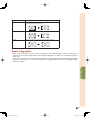
Side By Side
Top And Bottom
• When “High” is set, other nearby devices that
receive infrared signals, such as remote control
units of audio-video equipment and air conditioners, may not operate properly.
This setting can be used to switch to 3D mode automatically when a 3D identification signal is detected.
3D Format
Selectable items
Auto
Description
Normal infrared emitter level
Select “High” when it is difficult for
3D Glasses to properly receive the
infrared signal reflected off the screen
due to the use of a large screen and
viewers being positioned away from
the screen.
No
Description
Displays the elapsed viewing time on
the screen every hour.
Does not display the elapsed viewing
time.
Invert
Pressing ENTER switches between the image for the
left eye and the image for the right eye, so that you can
make the settings for more natural viewing.
-55
2010/12/17 11:16:40