1
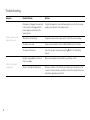
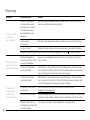
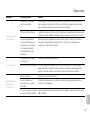
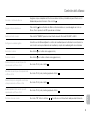
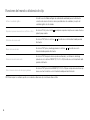
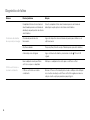
Troubleshooting
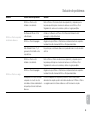
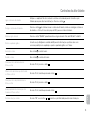
Symptom
Possible Problem
Solution
EQ settings are set too high.
Decrease the EQ settings.
Sound source is distorted.
If the iPhone or iPod original sound source (MP3) is of poor quality, distortion
and noise are easily noticed with high-power speakers. Try a different audio
source such as a music CD.
Battery is weak.
Replace current battery with a new battery.
Clip-on remote is not pointed toward
the speaker system.
Point the clip-on remote toward the Altec Lansing speaker system and move
within 10 feet of the unit.
Sound source is connected to the AUX 1
or AUX 2 jack.
Clip-on remote will not control devices connected to the AUX 1 or AUX 2 jack.
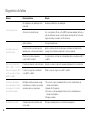
No sound from the AUX 1
or AUX 2 device, such as an
iPhone, iPod, MP3 player or
CD player connected to the
AUX 1 or AUX 2 jack
Volume on the device is set too low.
Increase the volume on the device to approximately ¾ full volume.
Source selector is not set to AUX 1 or
AUX 2.
Set source selector to AUX 1 or AUX 2.
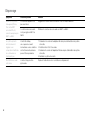
The speaker system
exhibits erratic or
unexpected behavior.
Controls do not function.
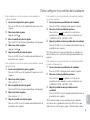
Static electricity, momentary interruption of 1. Disconnect the AC adapter cable plug from the speaker system’s jack.
power or abnormal operating conditions
2. Wait 20–30 seconds.
may be responsible.
3. Reconnect the AC adapter cable plug to the speaker system’s jack.
4. Turn the unit back on
There is radio interference
The unit is too close to a radio tower.
Sound is distorted
Clip-on remote doesn’t work
20
Move the unit to see if the interference goes away.