1
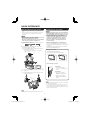
Direct Button Operation
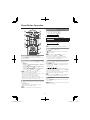
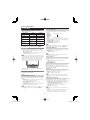
VIEW MODE
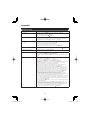
You can select the screen size.
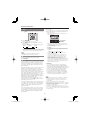
1 Press VIEW MODE.
• The View Mode menu displays.
• The menu lists the View Mode options selectable for the type of video signal currently being received.
2 Press VIEW MODE or a/b while the View Mode menu is displayed to select a desired item on the menu.
• You can sequentially select a View Mode that has its own aspect ratio.
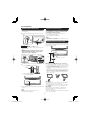
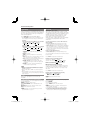
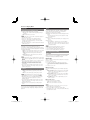
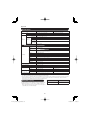
■ For 4:3 programs
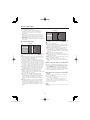
Example: Screen size images
Side Bar
Suitable for viewing
conventional 4:3 programs in
their normal format.
S.Stretch (Smart stretch)
Suitable for stretching 4:3
programs to fill the screen.
Zoom
Stretch
Suitable for viewing widescreen 2.35:1 anamorphic
DVDs in full screen.
This mode is useful for 1.78:1
DVDs. When viewing 1.85:1
DVDs, stretch mode will still show
very thin black bands at the top
and bottom of the screen.
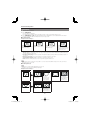
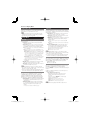
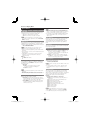
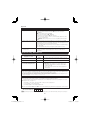
■ For HD programs
Stretch: Suitable for viewing wide-screen 1.78:1 aspect ratio program, stretch mode will still show very thin black bands at
the top and bottom of the screen.
Dot by Dot (1080i/p only): Detects the resolution of the signal and displays an image with the same number of pixels on
the screen.
Full Screen (720p only): You can select "Full Screen" only when receiving a 720p signal.
S.Stretch (Smart stretch): Suitable for stretching 4:3 programs to fill the screen.
Zoom: Suitable for viewing wide-screen 2.35:1 aspect-ratio programs in full screen.
• When using Dot by Dot or Full Screen, it is possible to see noise or bars around different outer portions of the screen. Please
change view mode to correct this.
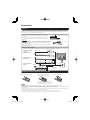
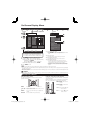
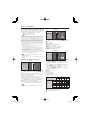
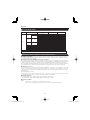
■ For PC input mode
• Connect the PC before making adjustments. (See page 11.)
• Selectable screen size may vary with input signal type.
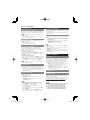
Example: Screen size images
Input signal
4:3
Normal
Keeps the original
aspect ratio in a full
screen display.
Zoom
For viewing
widescreen
programs. The top
and bottom of the
image is cropped.
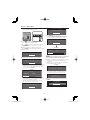
Input signal
Stretch
Dot by Dot
16:9
An image fully fills the
screen.
Detects the resolution
of the signal and
displays an image with
the same number of
pixels on the screen.
Stretch
Dot by Dot
An image fully fills the
screen.
Detects the resolution
of the signal and
displays an image with
the same number of
pixels on the screen.
16
LC-46D78UN_E.indb 16
2010/02/25 17:47:09