1
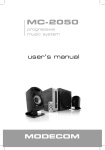
PROGRESSIVE MUSIC SYSTEM
Unpacking the system
• Fold the carton flaps right back and invert the carton and contents. • Lift the carton clear of the contents. • Remove
the inner packing from the product.
You should find following items while unpacking:
Amplifier: 1 pc; Subwoofer: 1 pc.; Satellites: 2 pcs.; Audio cable: 3,5 mm – 2xRCA: 1 pc.; Audio cable: 3,5 mm – 3,5 mm:
1 pc.; Wired remote control: 1 pc.; User’s manual: 1 pc.
System connection
To sound card, CD, MP3, etc.
To VCD, DVD, etc.
1. Connect the left speaker to AUDIO OUTPUT white L port of the amplifier.
2. Connect the right speaker to AUDIO OUTPUT red R port of the amplifier.
3. Connect the subwoofer to AUDIO OUTPUT yellow S.W. port of the amplifier.
4. Connect the cable with 3.5mm mini Jack plugs at both ends to the INPUT 1 port of the amplifier and the other end
to your main sound source (for example PC’s sound card audio output).
5. Connect the power cord plug to the AC outlet.
6. Push the power button on the rear of the subwoofer unit to turn on the speaker set.
7. Turn on the sound source an adjust the volume to your desired level.
Optionally:
Connect the headphone cable to the headphone port on front of the amplifier
Connect alternative sound source (such as MP3 player) to sound input port Input 2 on back of the amplifier (you can
easily switch between the sources with Input select button on the amplifier or on the remote control)
Copyright©2008 MODECOM S.A. All rights reserved. MODECOM Logo is a registered trademark of MODECOM S.A.
3