1
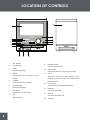
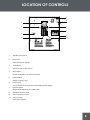
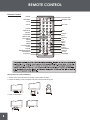
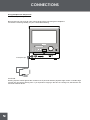
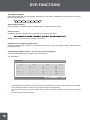
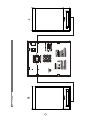
LOCATION OF CONTROLS
15
1
8
2
3
4
5
6
7
9
10
11
12
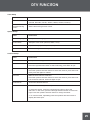
1.
TFT Screen
2.
VFD Display
3.
STOP
4.
MODE
13
14
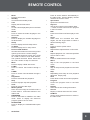
Stop disc playback.
Repeatedly press the button to shift
9.
Remote Sensor
10.
Open/Close
11.
CH+/-
Sense remote signals.
Open/close the disc room in a DVD mode.
Skip DTV channels or radio stations, In the
modes.
5.
POWER
Press to turn the unit on/off.
6.
PLAY/PAUSE
Start/hold playback.
7.
Disc Room
Hold a disc in a DVD mode.
8.
VOL
Adjust volume.
4
DVD mode, press to skip to the next/previous
playback point.
12.
Phone Jack
.
Connects with a headpone/earphone.
13.
USB Port
14.
SD Slot
Connects with USB.
Connects with SD Card.
15.
Speaker