1
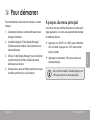
ÂÂ Unit at a Glance
English
1
2
3
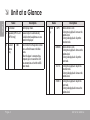
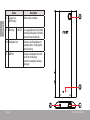
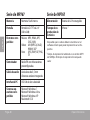
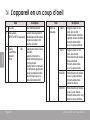
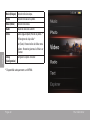
Name
Description
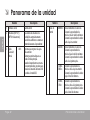
LCD screen
Color display screen.
Speakers [MP767 and Speaker output is automatically
MP768 only]
disabled when headphones are connected to the player.
Cancel/
<M>
Press to return to the previous screen.
Menu
Press and hold to access the Main
Key
menu.
When the player is connected to a
computer, press to cancel the USB
data connection and switch to USB
power mode.
Page 4
4
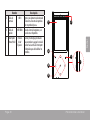
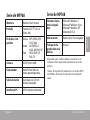
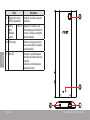
Name
Control
<UP>
Key
Description
Browse items in a list.
During music playback: increase the
volume level.
During video playback: skip to the
previous track.
<DOWN> Browse items in a list.
During music playback: decrease the
volume level.
During video playback: skip to the
next track.
<LEFT> During music playback: skip to the
previous track.
During video playback: decrease the
volume level.
<RIGHT> During music playback: skip to the
next track.
During video playback: increase the
volume level.
Unit At A Glance